
TL;DR:
- IP addresses are essential for device communication, privacy, security, and network management.
- Exposed IPs can lead to targeted attacks, location tracking, and privacy breaches.
- Using tools like VPNs and regular IP checks helps protect against leaks and enhances security.
Every time you load a webpage, send an email, or stream a video, your IP address is quietly doing the heavy lifting. Most people treat it as a forgettable technical detail, something buried in a settings menu. But your IP address is far more consequential than that. It shapes your online privacy, determines how securely your data travels, and influences how reliably your devices connect. Whether you manage a business network or simply browse from home, understanding what your IP address does and what can go wrong is one of the most practical things you can do for your digital safety.
Table of Contents
- What is an IP address and how does it work?
- The role of IP addresses in privacy and security
- Public vs private IP addresses: How they impact connectivity
- Edge cases and emerging issues: IP leaks, IPv4 exhaustion, and beyond
- A nuanced perspective: What most people overlook about IP address importance
- Take the next steps: Tools for managing and checking IP addresses
- Frequently asked questions
Key Takeaways
| Point | Details |
|---|---|
| IP is your online identity | Every online action uses your IP for communication, making it essential for access and visibility. |
| Protect your privacy | Exposed IP addresses put your location and data at risk for tracking, attacks and leaks. |
| NAT and IPv6 matter | Modern networks share public IPs with NAT and migrate to IPv6 for future-proofing. |
| Check for IP leaks | Even VPN users can face IP leaks—users should test regularly for maximum privacy. |
| Businesses must act | Organisations need active monitoring and IP management to prevent damage and downtime. |
What is an IP address and how does it work?
An IP address is a unique numerical label assigned to every device that connects to a network. Think of it like a postal address for your device: without it, data packets would have nowhere to go. Every time you request a webpage, your device sends packets of information across the internet, and each packet carries your IP address in its header so the destination server knows where to send the response. This mechanism, defined formally in how IP addresses work, is what makes reliable two-way communication possible.
There are two versions in active use today. IPv4 uses a 32-bit format, expressed as four numbers separated by full stops, for example 192.168.1.1. It supports roughly 4.3 billion unique addresses, a number that seemed enormous in the 1980s but is now critically scarce. IPv6 uses a 128-bit hexadecimal format, such as 2001:0db8:85a3::8a2e:0370:7334, and supports a virtually limitless pool of addresses.
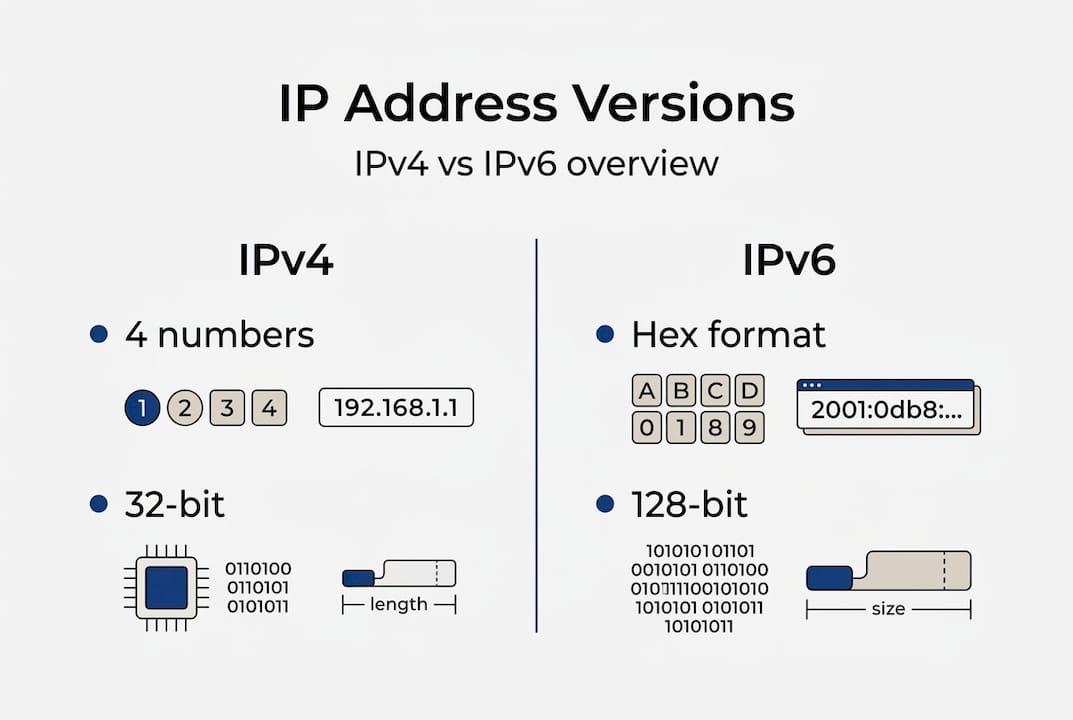
Here is a quick comparison of the two formats:
| Feature | IPv4 | IPv6 |
|---|---|---|
| Address length | 32-bit | 128-bit |
| Format | Numeric (e.g. 192.0.2.1) | Hexadecimal (e.g. 2001:db8::1) |
| Total addresses | ~4.3 billion | ~340 undecillion |
| NAT required | Often yes | Rarely needed |
| Adoption status | Dominant but exhausted | Growing rapidly |
When you visit a website, here is what actually happens:
- Your browser sends a request containing your public IP identity to a DNS server, which translates the domain name into an IP address.
- Your router forwards the request across your ISP's network toward the destination server.
- The server processes the request and sends data packets back, addressed to your IP.
- Your router receives those packets and delivers them to the correct device on your local network.
IPv6 adoption is accelerating because the sheer volume of internet-connected devices, from smartphones to smart fridges, has outpaced what IPv4 can accommodate. The transition is not seamless, but it is necessary, and understanding both formats helps you diagnose connectivity issues and appreciate why your network behaves the way it does.
The role of IP addresses in privacy and security
Understanding the mechanics sets the stage for one of the most pressing questions: how secure is your IP address, and what can go wrong if it is exposed?
Your IP address is not anonymous. Websites, advertisers, and malicious actors can all use it to infer your approximate location, your ISP, and patterns in your browsing behaviour. For individuals, this means targeted tracking. For businesses, it can mean exposing the physical location of servers or the structure of internal networks.
The IP privacy and security risks are well documented and include several serious threats:
- DDoS attacks: Attackers flood a public IP with traffic to knock a service offline. Businesses with exposed server IPs are particularly vulnerable.
- IP spoofing: An attacker forges the source IP in packets to impersonate a trusted device or bypass filters.
- NAT vulnerabilities: While Network Address Translation hides internal IPs, certain techniques can allow attackers to infer private IP structures.
- Location exposure: Your public IP can reveal your city or region, which is enough for targeted phishing or social engineering.
- Blacklisting: If your IP is associated with spam or malicious activity, even by a previous user, your emails or requests may be blocked.
"Security risks include DDoS attacks targeting public IPs, IP spoofing for attacks, and NAT vulnerabilities allowing private IP inference." The Privacy Report
Common privacy mistakes include leaving router admin panels accessible from the public internet, using unsecured public Wi-Fi without a VPN, and failing to monitor which services are bound to your public IP. You can find practical IP privacy tips to address these gaps, and it is worth understanding why protect IP information before a problem occurs rather than after.
Pro Tip: Regularly audit which of your business services are publicly accessible by IP. A surprising number of organisations inadvertently expose database ports or admin interfaces. Understanding IP addresses in website security can help you close those gaps before attackers find them.
VPNs mask your public IP by routing traffic through a server in another location, but they are not foolproof. Misconfigured VPNs, DNS leaks, and WebRTC vulnerabilities can all expose your real IP even when you believe you are protected.

Public vs private IP addresses: How they impact connectivity
Protecting your identity and data is only part of the IP address story. Understanding how connectivity works is just as critical.
Every device on your home or office network has a private IP address, assigned by your router. These addresses, typically in ranges like 192.168.x.x or 10.x.x.x, are not visible on the public internet. Your router holds a single public IP address, assigned by your ISP, which represents your entire network to the outside world.
Network Address Translation (NAT) is the technology that bridges these two worlds. When a device on your network sends a request to the internet, NAT replaces the private IP with the public one, keeps a record of the translation, and then routes the response back to the correct device. This allows dozens of devices to share a single public IP, which became essential as IPv6 adoption at 36.9% in top web hosts shows that the transition away from IPv4 scarcity is still very much in progress.
Here is a comparison of public and private IP addresses:
| Characteristic | Public IP | Private IP |
|---|---|---|
| Visible on internet | Yes | No |
| Assigned by | ISP | Router/DHCP |
| Unique globally | Yes | Only within network |
| Examples | 203.0.113.5 | 192.168.1.10 |
| Security exposure | Higher | Lower |
For businesses, the implications are significant. A poorly configured network can expose internal private IPs through error messages, misconfigured firewalls, or certain application protocols. Understanding business security and IP is essential for any organisation managing its own infrastructure.
How to think about your network's IP structure:
- Identify your public IP and understand what services are bound to it.
- Audit your private IP ranges and ensure they are not leaking through public-facing applications.
- Use NAT and firewall rules to restrict inbound access to only what is necessary.
- Plan for IPv6 by ensuring your equipment supports it and that your security rules apply to both address families.
- Monitor changes to your public IP, especially if you use a dynamic IP from your ISP.
IPv6 changes the game by enabling direct device addressing without NAT, which improves performance and simplifies certain network architectures. However, it also means more devices are directly reachable from the internet, raising the stakes for proper firewall configuration.
Edge cases and emerging issues: IP leaks, IPv4 exhaustion, and beyond
Most users are safe enough with basic knowledge, but special cases and emerging risks deserve attention, especially as technology evolves.
One of the most overlooked threats is the WebRTC IP leak. Even when you are connected to a VPN, your browser's WebRTC feature can broadcast your real IP address to websites and peer-to-peer applications. This happens because WebRTC operates at a lower level than your VPN tunnel. You can learn more about WebRTC IP leaks and how to stop them, and a thorough VPN leak test guide will show you whether your current setup is actually protecting you.
Key edge cases and emerging issues to watch:
- WebRTC leaks: Real IP exposed in browser despite active VPN.
- DNS leaks: DNS queries bypass the VPN tunnel, revealing browsing activity to your ISP.
- IPv4 market prices: IPv4 exhaustion leads to market prices of roughly £12 to £40 per address block, making IP resources a genuine business asset.
- NAT fragmentation: Large packets split across NAT boundaries can cause dropped connections and degraded performance.
- IPv6 packet drops: Some networks still handle IPv6 inconsistently, causing silent failures for users on dual-stack connections.
Statistic: IPv4 address blocks now trade at approximately $15 to $50 per /24 on the secondary market, reflecting just how scarce these resources have become.
For businesses, protecting your privacy is not just about individual users. Leaked IP information can expose network topology, invite targeted attacks, and create compliance headaches under data protection regulations.
Pro Tip: Test your VPN for WebRTC and DNS leaks before trusting it with sensitive work. Free tools can confirm whether your real IP is visible, and the results are often surprising even with reputable VPN providers.
The convergence of IPv4 scarcity, growing device counts, and patchy IPv6 support means the internet's addressing infrastructure is under genuine strain. Staying informed is not optional for anyone managing connectivity at scale.
A nuanced perspective: What most people overlook about IP address importance
Armed with this clear understanding of threats, connectivity, and edge scenarios, it is worth stepping back to look at the deeper reality behind IP addresses.
Public conversation about IP addresses tends to focus almost entirely on privacy, and rightly so. But this fixation creates a blind spot. The operational and commercial significance of IP addresses is just as important, particularly for businesses. Network resilience, compliance with data residency requirements, and the cost of managing IP blocks are all real concerns that rarely make headlines.
Threats are not only criminal in nature. A misconfigured IPv6 firewall rule, a NAT device that fragments packets unpredictably, or an ISP that reassigns your public IP without warning can all cause serious disruption without any attacker being involved. Reliability is a security issue too.
The market for IPv4 blocks is also reshaping how organisations plan their infrastructure. As IP information for online security becomes more commercially valuable, the decisions you make about IP management today will have financial and operational consequences for years. IPv6 adoption will eventually resolve scarcity, but the transition period is messy, and businesses that ignore it will find themselves caught out.
Take the next steps: Tools for managing and checking IP addresses
Recognising the critical role of IP addresses, the next logical step is to empower yourself with the right tools.
Regular IP checks are not just for network engineers. Whether you are a privacy-conscious individual, a small business owner, or a security professional, knowing your current IP status is a baseline habit worth building.
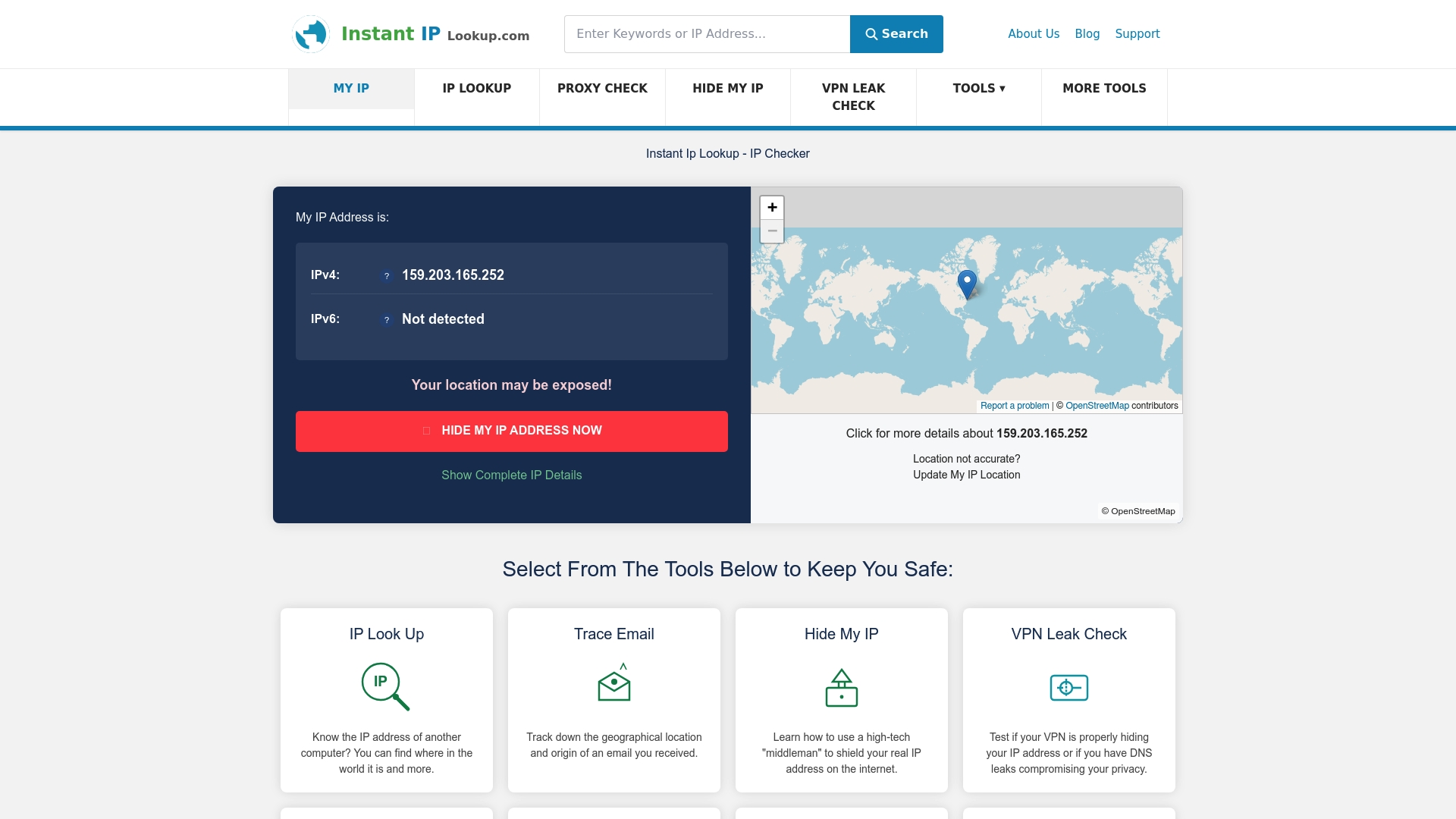
At InstantIPLookup.com, you can use our IP lookup tool to instantly see your public IP, ISP, and geolocation details. Our VPN leak check confirms whether your VPN is actually protecting you, and if you want to understand what your results mean in practice, our guide on what IP lookup results mean walks you through every field. Take five minutes today to check your IP status. It is one of the simplest, most effective steps you can take for your online security.
Frequently asked questions
Can someone find my location with my IP address?
Yes, your public IP can reveal your approximate city or region to websites and attackers, though it does not expose your precise home address. Location exposure via public IPs is a well-documented privacy risk.
How can businesses protect their IP addresses from attacks?
Businesses should implement firewalls, restrict public exposure of internal services, and keep all network equipment patched and updated. DDoS, spoofing, and NAT vulnerabilities are the most common threats to address first.
What is the difference between IPv4 and IPv6?
IPv4 uses 32-bit numeric addresses supporting around 4.3 billion devices, while IPv6 uses 128-bit hexadecimal addresses for a vastly larger pool. IPv6 adoption at 36.9% among top web hosts shows the transition is well under way but incomplete.
What are IP leaks and why do they happen?
An IP leak occurs when your real IP address is exposed despite using a VPN or proxy, often through WebRTC or misconfigured DNS settings. WebRTC IP leaks despite VPNs are a growing concern for privacy-focused users.
Why is IPv4 address exhaustion a problem?
IPv4 has a hard limit of roughly 4.3 billion addresses, and that pool is effectively depleted. IPv4 exhaustion leads to high secondary market prices and pushes organisations toward the more complex IPv6 transition.