
Many people believe IP masking makes them completely invisible online, but that’s a dangerous misconception. IP masking is a powerful privacy tool that hides your real IP address by routing traffic through intermediaries like VPNs, proxies, or Tor networks. However, it doesn’t guarantee total anonymity or eliminate all tracking methods. This guide clarifies what IP masking actually does, explores the main methods available, and shows you how to use it effectively to protect your privacy in 2026 without falling into common traps.
Table of Contents
-
Common IP Masking Methods: VPNs, Proxies, Tor, And Mobile Gateways
-
Best Practices For Using IP Masking To Protect Your Privacy In 2026
Key takeaways
| Point | Details |
| IP masking hides your real IP | Your internet traffic routes through intermediaries like VPNs, proxies, or Tor to display a different IP address. |
| Multiple methods exist | VPNs offer encryption and speed, proxies provide simple IP changes, Tor maximizes anonymity but slows connections. |
| Limitations apply | IP masking doesn’t prevent all tracking, WebRTC leaks can expose real IPs, and some providers may log data. |
| Combine with other tools | Layer IP masking with cookie clearing, browser hardening, and regular leak testing for stronger privacy. |
| Legal and practical considerations | IP masking is generally legal but may violate service terms when bypassing geo-restrictions or accessing blocked content. |
Understanding IP masking: what it is and why it matters
IP masking hides your real IP by routing your internet traffic through an intermediary server or network. When you connect to a website, it sees the intermediary’s IP address instead of yours. This process enhances privacy by preventing websites, advertisers, and trackers from identifying your true location and identity.
Common intermediaries include proxy servers, VPN services, the Tor network, mobile gateways, and Network Address Translation (NAT) systems. Each method works differently but achieves the same core goal of replacing your visible IP address. VPNs create encrypted tunnels for all your device traffic, while proxies handle specific application requests without strong encryption. Tor routes data through multiple volunteer nodes for layered anonymity.
IP masking serves several practical purposes for individuals and small businesses. It protects personal data from being linked to your physical location, reduces tracking by advertising networks, and helps access content that may be restricted in certain regions. Small businesses use IP masking to test websites from different locations, manage multiple accounts without triggering fraud alerts, and protect sensitive research activities from competitors.
The technology works by intercepting your outbound internet requests and forwarding them through the intermediary server. Return traffic follows the same path back to you. The destination website only logs the intermediary’s IP address in its records. This creates a privacy layer between your actual identity and your online activities.
You should understand that IP masking focuses specifically on hiding your IP address. It doesn’t automatically protect against browser fingerprinting, cookie tracking, or behavioral analysis. Websites can still identify you through login credentials, payment information, or unique browsing patterns even when your IP is masked.
Pro Tip: Combine IP masking with other privacy measures like clearing cookies regularly, using private browsing modes, and enabling fingerprint protection in your browser to create multiple layers of anonymity.
Common IP masking methods: VPNs, proxies, Tor, and mobile gateways
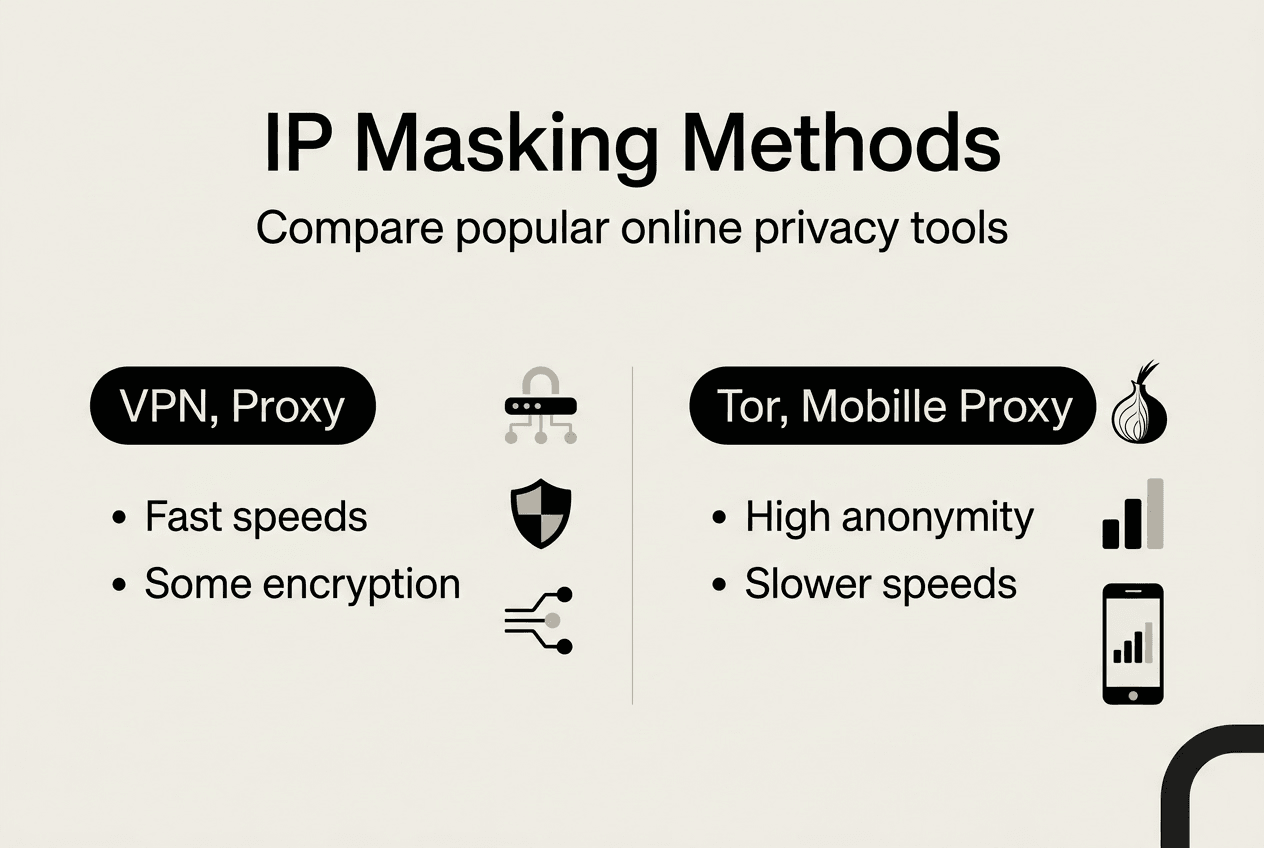
VPNs encrypt all device traffic by creating a secure tunnel between your device and VPN servers located around the world. When you enable a VPN, every application on your device routes its traffic through this encrypted connection. The VPN server’s IP address appears to websites instead of yours, and the encryption protects your data from interception by internet service providers or network administrators. VPNs offer the best balance of speed, security, and ease of use for most privacy needs.
Proxy servers act as intermediaries that relay specific application traffic, typically web browser requests. You configure your browser or application to send requests through the proxy server, which then forwards them to the destination website. The website sees the proxy’s IP address. Unlike VPNs, most proxies don’t encrypt your traffic, making them faster but less secure. They work well for simple IP changes when accessing geo-restricted content or testing websites from different locations.
Tor routes your traffic through multiple encrypted nodes operated by volunteers worldwide. Each relay in the Tor network only knows the previous and next hop, creating layers of anonymity that make tracing extremely difficult. This provides the highest level of IP masking and anonymity available. However, the multiple relay hops significantly slow connection speeds, making Tor impractical for streaming or large downloads. Journalists, activists, and researchers use Tor when maximum anonymity is essential.

Mobile proxies use IP addresses from real mobile devices connected to cellular networks. These IPs appear more legitimate to websites because they come from actual consumer mobile carriers. Businesses use mobile proxies to manage multiple social media accounts, conduct market research, and test mobile applications without triggering fraud detection systems. The residential nature of mobile IPs makes them harder for websites to identify and block.
| Method | Speed | Encryption | Anonymity Level | Best Use Case |
| VPN | Fast | Strong | Medium to High | General privacy, secure browsing, streaming |
| Proxy | Very Fast | Minimal | Low to Medium | Quick IP changes, geo-testing, simple access |
| Tor | Slow | Very Strong | Very High | Maximum anonymity, sensitive research, whistleblowing |
| Mobile Gateway | Medium | Varies | Medium | Account management, mobile testing, social media |
Each method offers trade-offs between speed, security, and anonymity. VPNs work best for everyday privacy needs because they protect all your traffic without significant speed loss. Proxy servers provide quick IP changes for testing or accessing content but lack comprehensive security. Tor sacrifices speed for unmatched anonymity when you need maximum protection.
You should consider your specific needs before choosing a method. Small businesses managing multiple accounts benefit from mobile proxies. Individuals concerned about ISP tracking should use VPNs. Researchers handling sensitive information need Tor’s layered anonymity.
Pro Tip: Start with a reputable VPN for daily privacy protection, then explore specialized methods like Tor or mobile proxies only when your situation requires their specific advantages.
Limitations and risks of IP masking: what you need to know
IP masking doesn’t guarantee complete anonymity or make you invisible online. Websites can still track you through cookies, browser fingerprints, login credentials, and behavioral patterns. VPNs hide your IP address from websites but don’t prevent Google or Facebook from identifying you when you log into their services. Your browsing habits, typing patterns, and device characteristics create unique signatures that persist regardless of IP masking.
VPN providers require trust because they can see all your internet traffic. Many services claim no-logs policies, but enforcement varies by jurisdiction. Free VPNs often log and sell user data to advertisers. Even paid services may comply with government data requests or maintain connection logs. The VPN industry lacks standardized auditing, making it difficult to verify privacy claims. Additionally, security researchers have identified VPN IP ranges that fraud detection systems automatically flag as suspicious.
Proxies present significant security risks because most don’t encrypt traffic. Your internet service provider, network administrators, and anyone monitoring the network can intercept unencrypted proxy traffic. Public proxy servers may inject ads, modify content, or harvest credentials. Some malicious proxies specifically target users seeking privacy, creating honeypots to collect sensitive data. The lack of encryption makes proxies unsuitable for accessing banking sites or handling confidential business information.
WebRTC leaks expose your real IP even when using VPNs or proxies. Web Real-Time Communication technology allows browsers to establish direct peer connections for video calls and file sharing. These direct connections bypass VPN tunnels and reveal your actual IP address to websites running WebRTC scripts. Many users remain unaware of this vulnerability because their VPN connection appears active while their real IP leaks through browser features.
Legal considerations vary by country and context. IP masking itself is generally legal in most jurisdictions. However, using masked IPs to bypass geo-blocks may violate streaming service terms of use. Some countries restrict or ban VPN usage entirely. Businesses must ensure their IP masking practices comply with data protection regulations and don’t facilitate fraudulent activities. Accessing blocked content in restrictive countries can result in legal consequences.
Here’s how to reduce IP leak risks:
-
Disable WebRTC in your browser settings or install extensions that block WebRTC requests completely.
-
Configure your firewall to block traffic outside the VPN tunnel, preventing leaks if the VPN disconnects.
-
Use browsers with built-in privacy features like Tor Browser that handle IP masking at the browser level.
-
Test your IP address regularly using leak detection tools to verify your masking remains effective.
-
Enable DNS leak protection in your VPN settings to prevent DNS requests from bypassing the tunnel.
You face additional risks when combining multiple privacy tools incorrectly. Using Tor over VPN or VPN over Tor creates complex configurations that may reduce security if misconfigured. Some privacy tools conflict with each other, creating vulnerabilities instead of enhancing protection. Understanding these technical interactions requires research and testing.
Small businesses using IP masking for competitive research should document their activities and ensure compliance with online privacy best practices in 2026. Unauthorized access to competitor systems or scraping websites in violation of terms of service can result in legal action regardless of IP masking.
Best practices for using IP masking to protect your privacy in 2026
Regularly clear cookies and cache files after browsing sessions to prevent tracking that persists beyond IP masking. Enable private or incognito browsing modes that automatically delete local data when you close the browser. This combination prevents websites from correlating your current masked session with previous unmasked activity through stored identifiers. Many users mask their IP but forget that cookies from earlier sessions reveal their identity.
Rotate IP addresses periodically to prevent tracking algorithms from building behavioral profiles based on consistent IP usage. VPN services offer multiple server locations that assign different IPs. Switch servers every few hours or when starting new browsing sessions. This disrupts pattern recognition systems that identify users through consistent IP behavior even when the actual IP is masked. Automated rotation tools can handle this process for business applications requiring frequent IP changes.
Select reputable VPN providers with verified no-logs policies audited by independent security firms. Research the provider’s jurisdiction because data retention laws vary by country. Services based in privacy-friendly jurisdictions offer better protection against government data requests. Read privacy policies carefully to understand what connection metadata the provider retains. For maximum control, consider self-hosted VPN solutions using your own servers, though this requires technical expertise.
Combine IP masking with browser hardening to minimize WebRTC leaks and fingerprinting risks. Disable WebRTC entirely or use browser extensions that control WebRTC behavior. Configure your browser to resist fingerprinting by blocking third-party cookies, disabling JavaScript on untrusted sites, and using privacy-focused browser configurations. Tools like Privacy Badger and uBlock Origin complement IP masking by blocking tracking scripts that operate independently of IP addresses.
You must use IP masking according to local laws and respect terms of service when accessing content. While IP masking is legal in most places, using it to circumvent access controls or engage in unauthorized activities crosses legal boundaries. Streaming services explicitly prohibit VPN usage in their terms, and violations can result in account termination. Research legal restrictions in your jurisdiction before implementing IP masking for business purposes.
Test your setup regularly using IP leak detection tools to verify effectiveness. Visit IP lookup services while your masking is active to confirm websites see the masked IP instead of your real address. Check for DNS leaks, WebRTC leaks, and IPv6 leaks that commonly bypass VPN tunnels. Run these tests after configuration changes or software updates that might affect your privacy setup.
Document your IP masking policies if you’re a small business using these tools for legitimate research or testing. Clear internal guidelines help employees understand appropriate use cases and legal boundaries. This documentation also demonstrates good faith compliance if questions arise about your online activities.
Layer multiple privacy measures for comprehensive protection. Use IP masking alongside encrypted messaging apps, secure email services, and privacy-focused search engines. Each layer addresses different tracking vectors, creating defense in depth. No single tool provides complete privacy, but combining complementary technologies significantly raises the difficulty of tracking your online activities.
Pro Tip: Test your IP address visibility monthly using leak detection tools and review current privacy tips for 2026 to stay ahead of emerging tracking techniques and ensure your masking remains effective.
Explore tools to protect your online identity
After learning how to implement IP masking properly, you need reliable tools to verify your privacy measures work correctly. Understanding IP masking theory matters less than confirming your actual IP address remains hidden during real-world browsing sessions.
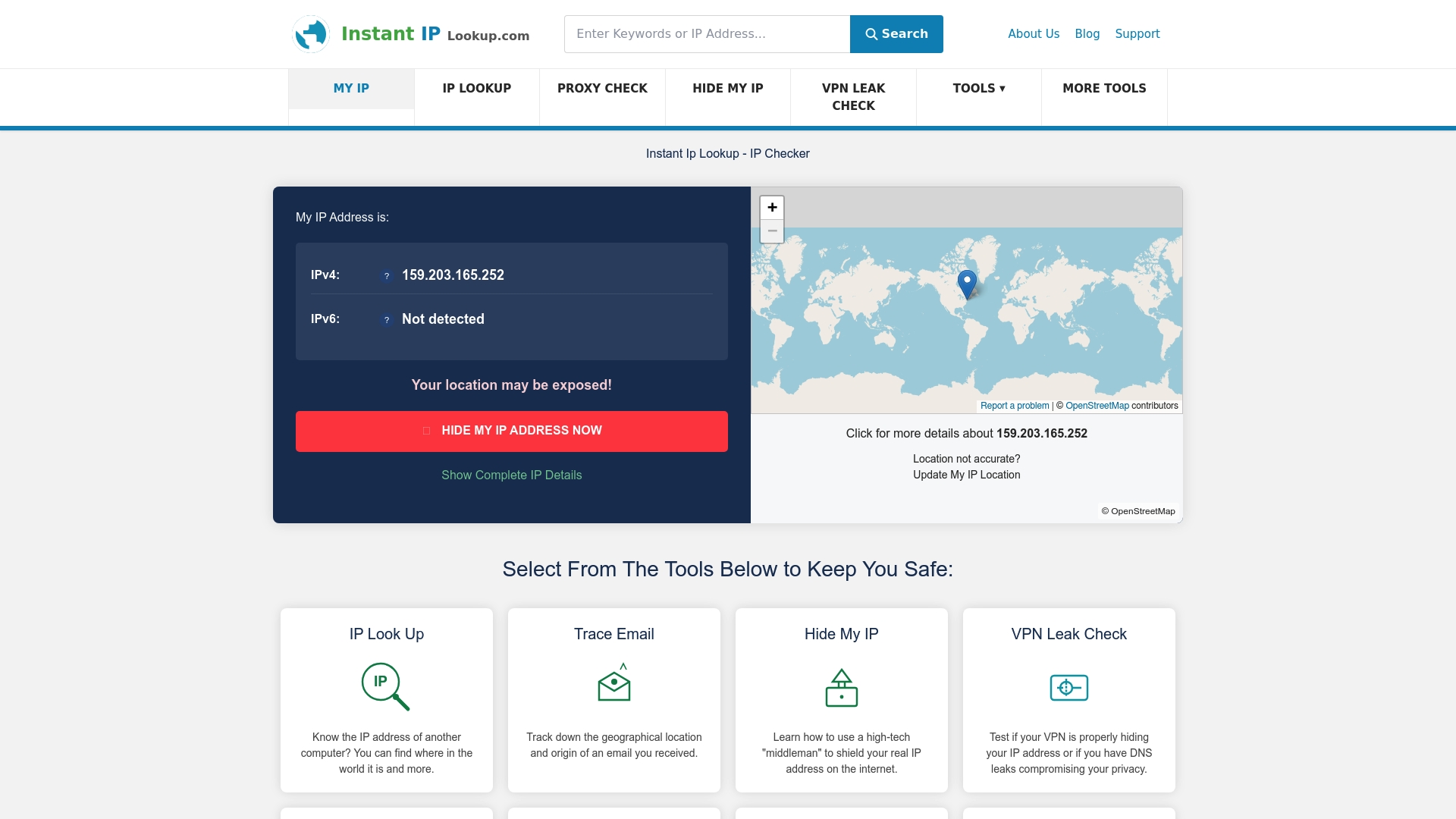
Instant IP Lookup provides free IP address lookup services that instantly show what IP address websites see when you visit them. This helps you confirm your VPN or proxy is working correctly before accessing sensitive sites. The proxy server detection tool identifies whether your connection routes through VPNs, proxies, or anonymizers, giving you visibility into your actual privacy status.
These diagnostic tools complement your IP masking strategy by revealing leaks or misconfigurations before they compromise your privacy. Regular testing catches issues like VPN disconnections or WebRTC leaks that silently expose your real IP. Additional guides on the site cover online privacy tips for 2026, helping you stay informed about evolving privacy threats and best practices.
FAQ
What is IP masking?
IP masking hides your real IP address by routing internet traffic through a different IP, typically via proxies, VPNs, or Tor networks. This process prevents websites and trackers from identifying your true location and identity. The intermediary server’s IP address appears to destination websites instead of yours.
How does IP masking protect my online privacy?
By replacing your real IP with another address, IP masking obscures your physical location and identity from websites, advertisers, and trackers. This reduces exposure to targeted advertising, location-based price discrimination, and geographic content restrictions. However, it doesn’t prevent tracking through cookies, login credentials, or behavioral patterns.
What are the differences between VPNs, proxies, and Tor for IP masking?
VPNs encrypt all device traffic through secure tunnels, offering strong privacy and good speed for everyday use. Proxies route specific application traffic with minimal encryption, providing quick IP changes but limited security. Tor routes traffic through multiple encrypted nodes for maximum anonymity but suffers from slow speeds due to multiple relay hops.
Are there any risks or limitations when using IP masking?
IP masking doesn’t guarantee complete anonymity because WebRTC leaks can expose real IPs if browsers aren’t properly configured. VPN providers may log connection data, and some services sell user information. Fraud detection systems often flag known VPN and proxy IP ranges as suspicious. You should combine IP masking with other privacy tools like cookie clearing and browser hardening for comprehensive protection.