
IP blacklisting is not just a concern for hackers and spammers. Even reputable websites and digital marketers can be unwittingly affected, watching their site traffic drop and sender reputation crumble without understanding why. If you run a website, manage email campaigns, or oversee digital advertising, a blacklisted IP can quietly sabotage your results. This guide cuts through the confusion, explaining exactly how IP blacklisting works, why legitimate businesses get caught up in it, and what practical steps you can take to protect your online presence and reputation.
Table of Contents
- IP blacklisting explained: what it is and how it works
- How are IP blocklists built? Traps, reports and automation
- Where things get tricky: false positives and controversial blocks
- Does IP blacklisting really work? Effectiveness and limitations
- Best practices: protecting your site and reputation from blacklist trouble
- Explore IP tools to secure your site and reputation
- Frequently asked questions
Key Takeaways
| Point | Details |
|---|---|
| IP blacklisting basics | Blacklisting blocks IPs involved in malicious activity to protect online assets. |
| Benefits and pitfalls | It helps curb spam and attacks but carries risks of false positives and blocking valuable traffic. |
| Major providers and methods | Blacklists are compiled by providers using automation, reports, and spamtraps. |
| Avoiding SEO harm | Aggressive blacklisting can unintentionally harm SEO and digital campaigns if not managed properly. |
| Staying protected | Regular blacklist monitoring and precise access rules help defend your site and reputation. |
IP blacklisting explained: what it is and how it works
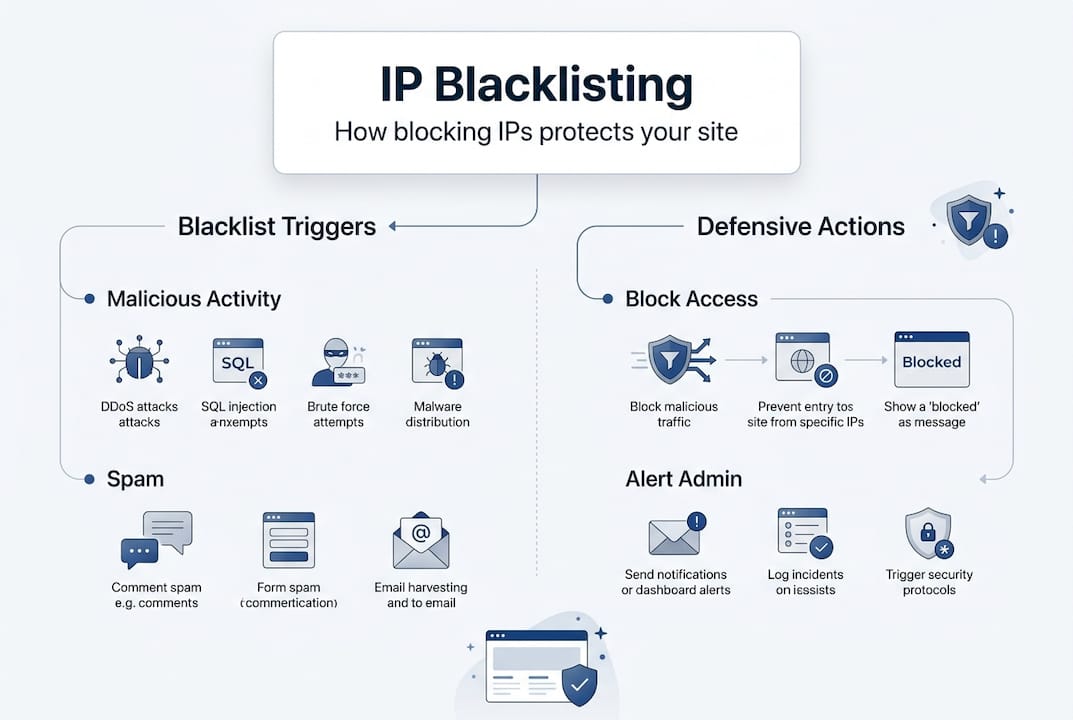
At its core, IP blacklisting is a security mechanism where IP addresses linked to malicious activity, spam, or abuse are added to blocklists. These lists, commonly called DNSBLs (Domain Name System Blocklists) or RBLs (Realtime Blocklists), are then used by websites, email servers, and network infrastructure to block unwanted access automatically.
When a request arrives from a blacklisted IP, the receiving system checks the relevant blocklist and either rejects the connection outright or applies a penalty. For web traffic, this typically means a 403 Forbidden response. For email, the sending server receives a rejection code, and your message never reaches the inbox.
Here is a quick overview of the main blocklist types and what they target:
| Blocklist type | Primary use | Example providers |
|---|---|---|
| DNSBL / RBL | Email spam filtering | Spamhaus, SORBS |
| IP reputation list | Web traffic filtering | Cloudflare, Talos |
| Network ACL list | Firewall and CDN rules | Fastly, AWS WAF |
| Malware / botnet list | Blocking compromised hosts | Spamhaus XBL, Talos |
Common reasons an IP ends up blacklisted include:
- Sending bulk unsolicited email or operating an open mail relay
- Hosting malware, phishing pages, or command-and-control servers
- Generating automated traffic that mimics bot or scraping behaviour
- Being part of a compromised network without the owner's knowledge
- Sharing an IP range with a bad actor on a shared hosting platform
Understanding Cloudflare IP blocklist rules gives you a clearer picture of how major platforms enforce these decisions in real time.
How are IP blocklists built? Traps, reports and automation
Blocklists do not appear from nowhere. They are built and maintained through a combination of technical traps, community intelligence, and automated detection systems. Blocklist providers such as Spamhaus, SORBS, and Talos use spamtraps, user reports, and automated scanning to compile their lists continuously.

Spamtraps are email addresses or network endpoints that have never been used legitimately. Any traffic hitting them is, by definition, suspicious. Honeypots work similarly at the network level, luring scanners and bots into revealing themselves.
Here is how the main data sources compare:
| Source | How it works | Reliability |
|---|---|---|
| Spamtraps | Inactive addresses that catch unsolicited contact | Very high |
| User reports | Abuse complaints submitted by recipients or admins | Medium to high |
| Automated scanning | Detection of open relays, dynamic IPs, compromised hosts | High |
| Community feeds | Shared threat intelligence between providers | Variable |
Key mechanisms used in blocklist construction include:
- Spamtrap hits: Sending to a spamtrap address is an almost instant route to blacklisting
- Open relay detection: Mail servers that forward email for anyone are flagged automatically
- Dynamic IP flagging: Residential and mobile IPs are often pre-emptively listed due to abuse patterns
- Malware compromise detection: IPs identified as part of botnets are added via threat intelligence feeds
- Abuse report thresholds: A certain volume of complaints triggers automatic listing
This is why checking blacklists regularly matters so much. You may not know your IP has been flagged until deliverability drops or traffic dries up. Reviewing Fastly security documentation also helps you understand how CDN-level blocking is applied.
Where things get tricky: false positives and controversial blocks
Blacklists are powerful tools, but they are far from perfect. False positives are a genuine and frustrating problem for website owners and marketers. Shared IPs, residential addresses, and essential crawlers such as Googlebot and AhrefsBot can all end up blacklisted, with serious consequences for SEO visibility and analytics accuracy.
The issue is particularly acute on shared hosting. If another tenant on your shared server sends spam, your IP may be listed alongside theirs. You did nothing wrong, but your email campaigns and site traffic suffer regardless.
Important: Attackers can deliberately exploit blacklisting systems in what researchers call a HADES attack, manipulating lists to block legitimate competitors or disrupt services. This is not a theoretical risk; it has been documented in academic research.
False positives can affect your business in several ways:
- SEO damage: If Googlebot or other search crawlers are blocked, your site may not be indexed correctly, affecting blacklisting and impact on SEO
- Email campaign failure: Newsletters and transactional emails go undelivered without any warning
- Analytics gaps: Blocked crawlers mean incomplete data in your reporting tools
- Ad platform issues: Some advertising networks check IP reputation before serving ads
To reduce your exposure, consider whitelisting known good bots and CDN IP ranges in your WAF or firewall rules. Cloudflare shared IP issues are well documented, and their guidance on managing shared infrastructure is worth reviewing.
Pro Tip: Always maintain a whitelist of verified crawler IP ranges from Google, Bing, and your analytics provider. Review and update this list quarterly to avoid accidentally blocking traffic that feeds your SEO and reporting.
Does IP blacklisting really work? Effectiveness and limitations
Given the complexity and the risk of false positives, it is fair to ask whether blacklisting actually delivers on its promise. The honest answer is: it helps, but it is not a complete solution.
RBLs do block a significant volume of malicious activity. However, coverage varies considerably across providers. Research has shown that even major lists like Spamhaus detected only around 5% of the Bobax botnet at peak activity. Sophisticated attackers rotate IPs, use compromised residential addresses, or exploit fast-flux DNS to evade detection.
| Metric | Typical performance |
|---|---|
| Spam blocked by RBLs | 70 to 90% of known spam sources |
| False positive rate | 0.1 to 2% depending on list |
| Botnet coverage (Spamhaus, Bobax) | Approximately 5% detected |
| Average delisting time after fix | 3 hours to 7 days |
Understanding why your IP may be blacklisted is the first step. Knowing how to check IP blacklists is the second. But neither replaces a layered security strategy.
Blacklisting works best as one layer within a broader defence. Pair it with rate limiting, bot management, DMARC email authentication, and regular vulnerability scanning. Relying on blocklists alone leaves significant gaps that determined attackers will find and exploit.
Pro Tip: Do not treat a clean blacklist check as a green light to relax your security posture. Run checks weekly and combine them with monitoring your email bounce rates and server logs for early warning signs of compromise.
Reviewing the IP blacklist effectiveness study gives you a research-backed perspective on where these tools succeed and where they fall short.
Best practices: protecting your site and reputation from blacklist trouble
Now that you understand the mechanics and the limitations, here is how to manage blacklisting proactively rather than reactively.
- Run regular blacklist checks. Use a dedicated blacklist checker tool to monitor your sending and hosting IPs across major DNSBLs. Weekly checks are a sensible minimum for active senders.
- Investigate and fix the root cause first. Before requesting delisting, identify why you were listed. Submitting a removal request without fixing the underlying issue will result in re-listing quickly.
- Submit a formal delisting request. Most major providers, including Spamhaus and Talos, have structured removal processes. Provide evidence that the issue is resolved and that you have taken steps to prevent recurrence.
- Whitelist critical bots and CDN ranges. Configure your WAF or CDN rules to allow verified search engine crawlers and analytics services. This protects your SEO and data integrity.
- Authenticate your email properly. Set up SPF, DKIM, and DMARC records. These do not prevent blacklisting directly, but they reduce the likelihood of your domain being flagged for spoofing or phishing.
- Monitor your server for compromise. A hacked server sending spam without your knowledge is one of the most common routes to blacklisting. Regular malware scans and log reviews are essential.
- Use dedicated IPs for email campaigns. Shared IPs carry the risk of other senders' behaviour affecting your reputation. A dedicated sending IP gives you full control.
Regularly monitoring blacklists and acting quickly on any listing is the single most effective habit you can build. If you need to work through fixing deliverability via blacklist removal, having a clear process in place makes the difference between a minor disruption and a prolonged reputation crisis.
Setting access rules with Cloudflare is a practical starting point for configuring your WAF to balance security with accessibility for legitimate traffic.
Explore IP tools to secure your site and reputation
If you have read this far, you already understand that blacklisting is not a passive threat. It requires active monitoring, fast responses, and the right tools in your corner. InstantIPLookup.com provides free, real-time diagnostics that make this straightforward.
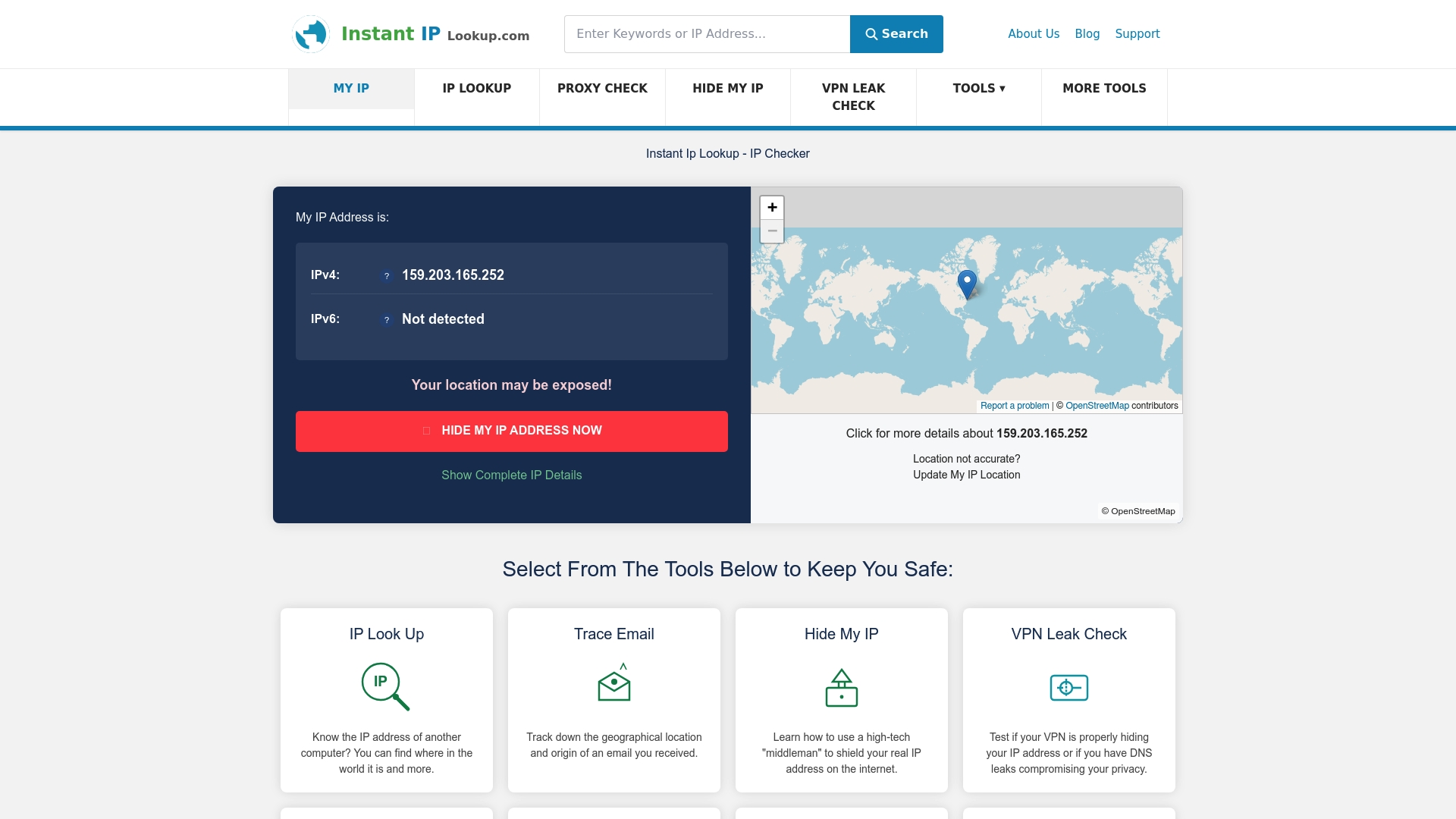
Start with the IP address lookup tool to identify your current public IP and associated network details instantly. If you are new to IP diagnostics, the step-by-step guide on how to perform an IP lookup walks you through the process clearly. Most importantly, use the dedicated tool to check if your IP is blacklisted across multiple major blocklists in one go. These tools are free, require no account, and give you the visibility you need to act before a blacklisting issue becomes a serious business problem.
Frequently asked questions
How can I check if my IP or domain is blacklisted?
You can use an online blacklist checker to query your IP or domain against major DNSBL lists simultaneously. Checking regularly, rather than only when problems arise, is the most effective approach for website owners and marketers.
Will an IP blacklist affect my email deliverability?
Yes. If your sending IP appears on a major RBL, recipient mail servers will reject or quarantine your messages, often without notifying you. This can silently devastate email campaign performance and transactional message delivery.
Why are good bots or traffic sometimes blacklisted?
False positives and shared IPs mean that valid bots, crawlers, and services can be caught by overly aggressive blacklisting rules. This affects SEO indexing, analytics data, and any service that relies on automated traffic from known providers.
How quickly can I be removed from a blacklist after fixing the issue?
Blacklist recovery times range from approximately three hours to a full week, depending on the provider and the severity of the original listing. Acting quickly and providing clear evidence of remediation speeds up the process considerably.