
Not all IP addresses are created equal, and confusing terms like private, static, or IPv6 can lead to costly network misconfigurations. For IT professionals and businesses, choosing the wrong address type affects everything from firewall rules to compliance posture. IP addresses explained form the backbone of every routing decision, access control policy, and security audit you run. This guide cuts through the jargon, covering every major type, its technical structure, and the practical business scenarios where each one belongs.
Table of Contents
- What is an IP address and why do types matter?
- The primary types: IPv4 and IPv6 addresses
- Public vs private IP addresses: local networks and internet identity
- Static vs dynamic IP addresses: assignment and business use
- Special IP address categories: loopback, link-local, broadcast and more
- Operational addressing: unicast, broadcast, multicast and anycast explained
- Summary comparison: choosing the right IP type for your business
- Take control: tools and next steps for your network
- Frequently asked questions
Key Takeaways
| Point | Details |
|---|---|
| IPv4 vs IPv6 | IPv6 addresses offer vastly greater capacity and simplified management compared to legacy IPv4. |
| Public and private usage | Public IPs are for internet communication, while private IPs safeguard internal business networks from external threats. |
| Static vs dynamic choice | Static IPs suit business-critical roles, but dynamic IPs are cost-effective and safer for most endpoints. |
| Special address functions | Recognising special addresses like loopback or multicast is crucial for troubleshooting and security. |
| Right type for the task | Selecting the correct IP type helps optimise both network performance and organisational security. |
What is an IP address and why do types matter?
An IP address (Internet Protocol address) is a numerical label assigned to every device on a network. It serves two core functions: identifying the host and providing its location for routing purposes. Without it, packets have nowhere to go.
Different types emerged because networking needs evolved. Early internet designers did not anticipate billions of connected devices, cloud infrastructure, or IoT deployments. As a result, the original IPv4 standard uses 32-bit addresses, yielding roughly 4.3 billion unique values, a pool that is now exhausted. IPv6 responds with 128-bit addresses, supporting approximately 340 undecillion unique identifiers.
"The type of IP address you deploy shapes your network's security perimeter, scalability ceiling, and operational overhead from day one."
Key functions every IT team relies on include:
- Routing: Directing packets across networks and the internet
- Identification: Distinguishing one device from another on a shared network
- Access control: Enforcing firewall rules, allow-lists, and geo-restrictions
- Audit trails: Logging activity for compliance and incident response
Choosing address types without a strategy introduces gaps in all four areas.
The primary types: IPv4 and IPv6 addresses
IPv4 and IPv6 are the two foundational standards. Every other classification, public, private, static, dynamic, sits on top of one of these two.

IPv4 vs IPv6 is the most consequential choice in modern network design. IPv4 uses dotted decimal notation (e.g. 192.168.1.1), while IPv6 uses hexadecimal groups separated by colons (e.g. 2001:db8::1). The address space difference is staggering: 4.3 billion versus 340 undecillion.
| Feature | IPv4 | IPv6 |
|---|---|---|
| Bit length | 32-bit | 128-bit |
| Address space | ~4.3 billion | ~340 undecillion |
| Notation | Dotted decimal | Hexadecimal |
| NAT required | Yes (commonly) | No |
| Built-in IPsec | Optional | Native |
| Autoconfiguration | Limited (DHCP) | SLAAC built-in |
| IoT suitability | Limited | Excellent |
IPv6 advantages for business networks include:
- End-to-end connectivity: No NAT layers to manage or troubleshoot
- Native IPsec support: Encryption and authentication baked into the protocol
- Simplified routing: Hierarchical addressing reduces routing table complexity
- Autoconfiguration: Devices self-assign addresses without DHCP dependency
Most enterprise environments currently run dual-stack implementations, supporting both standards simultaneously during the transition period. Check your IPv6 address to confirm whether your network is already serving IPv6 traffic.
Pro Tip: If your organisation hosts public-facing services, request IPv6 addresses from your ISP now. Waiting until IPv4 costs spike further will make the migration more disruptive and expensive.
Public vs private IP addresses: local networks and internet identity
Every IP address is either publicly routable or privately scoped. This distinction is fundamental to network segmentation and security architecture.
Private IP addresses are non-routable on the internet and reserved for use within local area networks (LANs). They are defined by RFC 1918 for IPv4 and by the Unique Local Address (ULA) specification for IPv6. Devices using private addresses access the internet through Network Address Translation (NAT), which maps multiple internal addresses to a single public IP.
| Range type | IPv4 range | IPv6 equivalent |
|---|---|---|
| Private (Class A) | 10.0.0.0/8 | fc00::/7 (ULA) |
| Private (Class B) | 172.16.0.0/12 | fe80::/10 (link-local) |
| Private (Class C) | 192.168.0.0/16 | N/A (subsumed by ULA) |
| Public | All others | All others |
Key implications for business IT teams:
- Reduced attack surface: Internal devices are invisible to external scanners
- Compliance support: Private addressing helps enforce data residency and access boundaries
- Cost efficiency: One public IP can serve hundreds of internal devices via NAT
- Segmentation: VLANs combined with private ranges isolate sensitive systems
Your public IP identity is what the internet sees. Exposing the wrong services on that address is a primary attack vector. Robust IP protection strategies and solid website IP security practices depend on understanding exactly which addresses are visible externally.
Pro Tip: Audit your NAT rules quarterly. Misconfigured port forwarding silently exposes private devices to the public internet, often without triggering standard firewall alerts.
Static vs dynamic IP addresses: assignment and business use
Once you have chosen your address standard and scope, the next decision is how addresses get assigned. Static and dynamic assignment each carry distinct operational and security trade-offs.
Static IP addresses are manually configured and remain fixed per device. Dynamic addresses are automatically assigned via DHCP (Dynamic Host Configuration Protocol) and may change at each lease renewal. Dynamic assignment is the default for consumer and mobile devices because it conserves address space and reduces administrative overhead.
When to use static addresses:
- Web and mail servers: DNS records must resolve to a consistent address
- Remote access gateways: VPN endpoints require predictable identifiers
- Network printers and shared resources: Stable addressing prevents connection failures
- Security cameras and IoT sensors: Consistent addresses simplify access control rules
When dynamic addresses are the better choice:
- End-user workstations: Reduces manual configuration and IP conflict risk
- Guest Wi-Fi networks: Temporary leases limit exposure and simplify management
- Mobile devices: Frequent location changes make static assignment impractical
"A static IP is a fixed target. That predictability is an asset for server management and a liability for attack surface management."
For deeper context on static vs dynamic IP details and understanding IP changes on WiFi, both resources are worth reviewing before finalising your assignment policy.
Special IP address categories: loopback, link-local, broadcast and more
Beyond standard assignments, every network contains specialised address ranges that serve diagnostic, operational, or protocol-specific purposes. Misunderstanding these can cause hours of unnecessary troubleshooting.
Special IPv4 addresses include several distinct categories:
- Loopback (127.0.0.0/8): Traffic sent to 127.0.0.1 never leaves the local machine. Used for software testing and service diagnostics without network involvement.
- APIPA / link-local (169.254.0.0/16): Auto-assigned when DHCP fails. Seeing these addresses on production devices signals a DHCP problem, not a working configuration.
- Broadcast (e.g. 192.168.1.255): Sends a packet to all devices within a subnet. Overuse can cause broadcast storms on poorly segmented networks.
- Unspecified (0.0.0.0): Indicates the absence of an address, used during initialisation or as a wildcard in routing tables.
IPv6 equivalents worth knowing:
- Loopback: ::1 (single address, not a range)
- Link-local: fe80::/10, automatically assigned on every IPv6 interface
- All-nodes multicast: ff02::1, replaces IPv4 broadcast for local discovery
- No broadcast: IPv6 eliminates broadcast entirely, reducing unnecessary traffic
Pro Tip: If you spot 169.254.x.x addresses on a secure network setup audit, treat them as a DHCP failure indicator. Devices operating on APIPA addresses cannot reach the internet and may disrupt services silently.
Operational addressing: unicast, broadcast, multicast and anycast explained
Address types also define how packets are delivered, not just where. This operational layer directly affects bandwidth efficiency, latency, and security exposure.
Addressing methods break down into four delivery models:
- Unicast (1:1): One sender, one receiver. Standard internet traffic, HTTP requests, SSH sessions, and database queries all use unicast.
- Broadcast (1:all within subnet): One sender, all devices in the subnet receive the packet. IPv4 only; eliminated in IPv6.
- Multicast (1:many group, IPv4 224.0.0.0/4): One sender, multiple subscribed receivers. Used for IPTV, video conferencing, and software distribution.
- Anycast (1:nearest node): A single address is assigned to multiple nodes; routing delivers packets to the nearest one. The backbone of CDN and DNS infrastructure.
"Anycast is why your DNS query reaches a server milliseconds away rather than one on the other side of the planet."
For IT teams managing operational addressing risks, multicast and broadcast deserve particular scrutiny. Misconfigured multicast groups can leak sensitive traffic across network boundaries, and broadcast amplification is a classic DDoS vector. Understanding the role in website security of each delivery model helps you write tighter firewall rules.
Summary comparison: choosing the right IP type for your business
With all types covered, the decision framework becomes straightforward. Match your operational requirements to the address type that best fits your security posture and growth plans.
| IP type | Primary use | Key advantage | Security consideration |
|---|---|---|---|
| IPv4 | Legacy and current networks | Universal compatibility | Exhausted pool, NAT complexity |
| IPv6 | Modern and IoT networks | Massive scale, native IPsec | Requires updated firewall rules |
| Public | Internet-facing services | Direct reachability | Full exposure to external threats |
| Private | Internal devices | Hidden from internet | Misconfigured NAT = exposure |
| Static | Servers, VPNs, printers | Predictable, DNS-stable | Fixed attack surface |
| Dynamic | Workstations, guests | Flexible, low overhead | Harder to trace in logs |
| Unicast | General traffic | Efficient, targeted | Standard threat surface |
| Multicast | Streaming, conferencing | Bandwidth-efficient | Group membership must be controlled |
| Anycast | CDN, DNS | Low latency, resilient | Routing hijack risk |
Business scenario checklist for IPv4 or IPv6 for your business and static or dynamic assignment:
- Small business with basic web presence: Public static IPv4, private dynamic for internal devices
- E-commerce platform: Dual-stack IPv4/IPv6, static for servers, anycast-enabled CDN
- Remote-first organisation: Static public IPs for VPN gateways, dynamic for endpoints
- Scalable cloud infrastructure: IPv6-native with anycast load balancing and private ranges for backend services
For a thorough reference on IP types in detail, the technical specifications support every scenario above.
Take control: tools and next steps for your network
Understanding IP address types is only valuable when you can act on that knowledge in real time. Knowing your current public IP, verifying whether IPv6 is active, and confirming that no unexpected addresses are exposed are all tasks that should be part of your regular network audit routine.
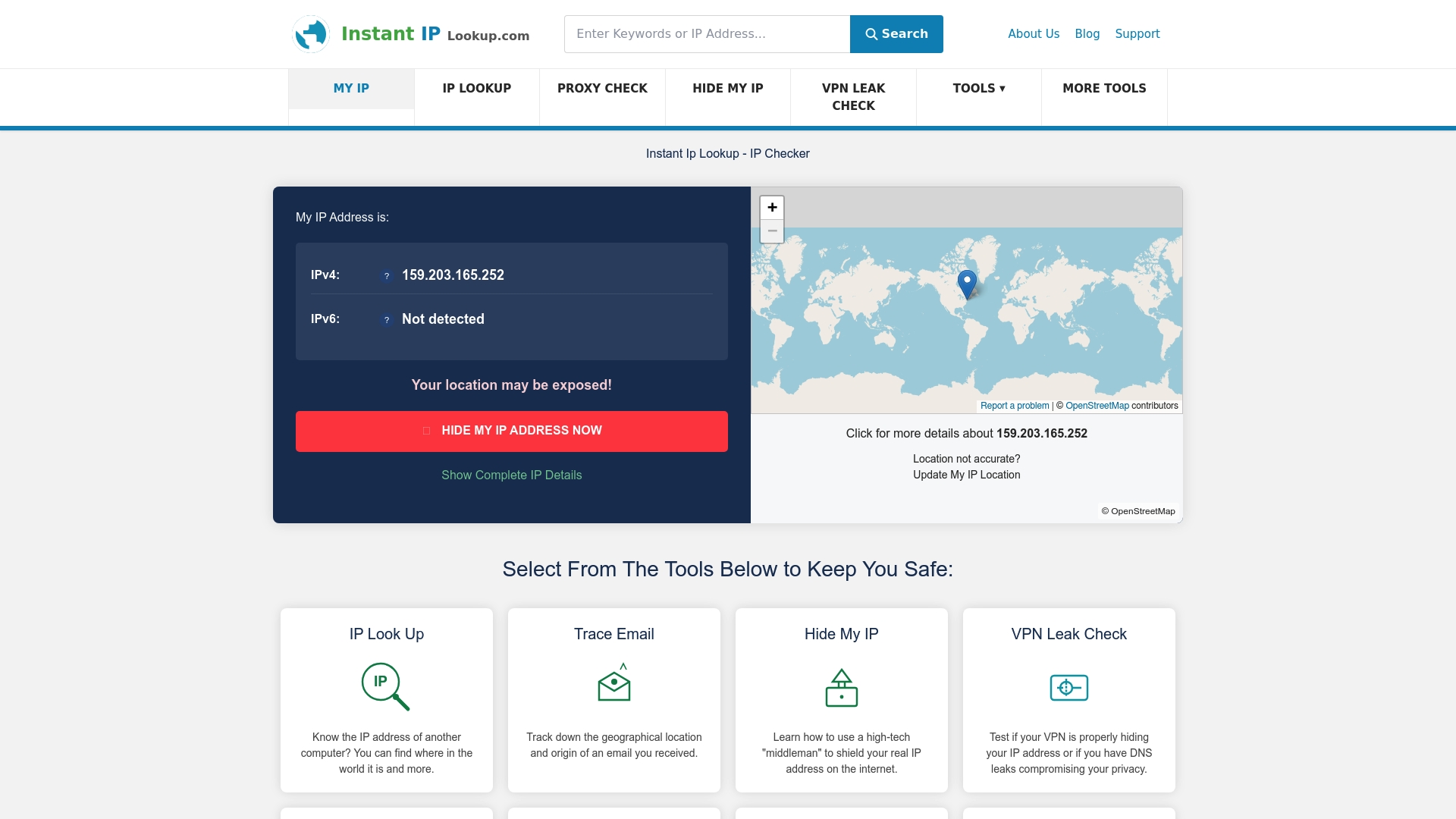
InstantIPLookup.com gives IT professionals and businesses instant access to the data they need. Use the IP lookup tool to identify your public IPv4 and IPv6 addresses, ISP details, and geolocation in seconds. The IP geolocation guide explains how location data can inform access policies and threat detection. When you need a quick baseline, simply find your IP address and start your audit from there. These tools are built for the professionals who cannot afford guesswork in their network security decisions.
Frequently asked questions
What is the difference between IPv4 and IPv6 addresses?
IPv4 uses 32-bit addresses supporting roughly 4.3 billion unique values, while IPv6 uses 128-bit addresses supporting approximately 340 undecillion, with native IPsec and no requirement for NAT.
Why do businesses use private IP addresses?
Private addresses keep internal devices non-routable from the internet, reducing exposure and conserving public address space through NAT.
Which is safer: static or dynamic IP addresses?
Neither is inherently safer. Static addresses offer traceability and DNS stability but present a fixed attack surface, while dynamic addresses reduce that surface but complicate log analysis and access control.
What is a loopback IP address used for?
Loopback addresses such as 127.0.0.1 route traffic back to the local machine only, making them essential for software testing and service diagnostics without any network involvement.
How can I tell if an IP address is public or private?
Check whether it falls within private IPv4 ranges (10.0.0.0/8, 172.16.0.0/12, 192.168.0.0/16) or the IPv6 ULA range (fc00::/7). Any address outside these ranges is publicly routable.
Recommended
- Role of IP in IT support: security & troubleshooting 2026
- Everything You Need To Know About IP Addresses And Why They Matter In 2025 - Instant Ip Lookup
- How to check IP address: complete 2026 guide
- What is an IP address and how does it work in 2026?
- Effektiv it-infrastruktur: komplett guide för företag 2026