
Every day, thousands of users encounter unfamiliar IP addresses in website logs, email headers, or security alerts and wonder what they reveal. Whether you're investigating suspicious activity, troubleshooting network issues, or simply curious about digital footprints, knowing how to perform an accurate IP lookup is essential. This guide walks you through the complete process, from gathering the right tools to interpreting results confidently. You'll learn practical steps that work for both technical professionals and everyday users seeking clarity about IP addresses they encounter online.
Table of Contents
- Key takeaways
- Essential prerequisites for a successful IP lookup
- Step-by-step guide to performing an effective IP lookup
- Common issues and troubleshooting tips for IP lookups
- Interpreting and applying your IP lookup results
- Use instant IP lookup tools for accurate results
- Frequently asked questions
Key Takeaways
| Point | Details |
|---|---|
| IP formats | Recognising IPv4 and IPv6 formats helps you identify the address type and select suitable tools. |
| Reliable lookup tools | Choose trusted IP lookup services that prioritise data freshness and protect your search privacy. |
| Systematic steps | Follow a clear sequence from obtaining the address to cross checking results with a second tool. |
| Interpreting results | Learn to read location, ISP and hostname data to avoid misinterpretation and inform decisions. |
Essential prerequisites for a successful IP lookup
Before diving into the lookup process, you need a solid foundation. Understanding IP address formats is your first step. IPv4 addresses appear as four numbers separated by dots, whilst IPv6 uses eight groups of hexadecimal digits. Recognising these formats helps you identify what you're working with and choose appropriate tools.
Your internet connection quality matters more than you might think. A stable connection ensures accurate results and prevents timeouts during lookups. Additionally, you'll need access to credible IP lookup tools that prioritise data accuracy and user privacy. Many services exist, but not all provide reliable information or protect your search queries from third parties.
Verifying tool credibility involves checking several factors:
- Data freshness and update frequency
- Privacy policies regarding search history
- Transparency about data sources
- User reviews and industry reputation
- Availability of additional diagnostic features
Pro Tip: Bookmark two or three trusted IP address lookup tools before you need them. When investigating suspicious activity, you won't want to waste time researching which services are reliable. Detailed guides recommend understanding IP formats and having reliable lookup tools for accurate results.
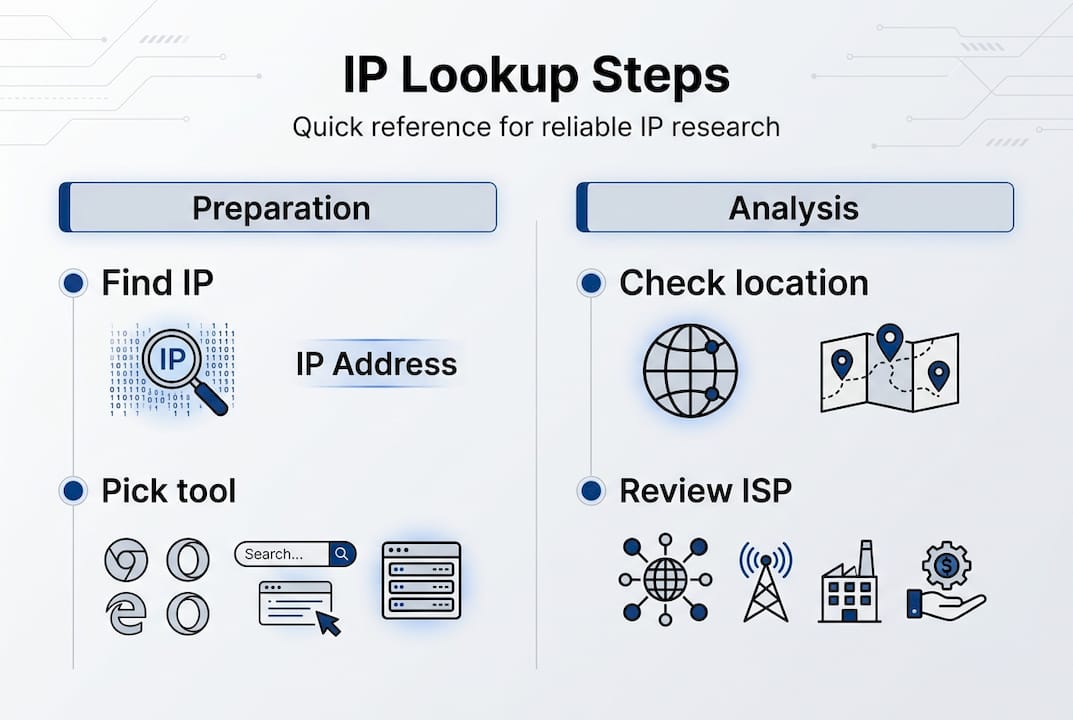
Consider the context of your lookup as well. Are you investigating a potential security threat, troubleshooting network performance, or verifying VPN functionality? Your purpose influences which additional tools you might need alongside basic IP lookup capabilities. Security investigations often benefit from blacklist checking, whilst network troubleshooting may require latency testing features.
Finally, familiarise yourself with basic networking terminology. Terms like ISP, hostname, autonomous system number, and reverse DNS will appear in your results. Understanding these concepts beforehand saves time and prevents misinterpretation when you're reviewing lookup data under pressure.
Step-by-step guide to performing an effective IP lookup
The lookup process follows a logical sequence that ensures comprehensive results. Start by obtaining the IP address you want to investigate. This might come from server logs, email headers, website analytics, or security alerts. Copy the address carefully, as even one incorrect digit produces useless results.
Next, access a trusted IP lookup service. Navigate to the tool's interface and locate the search field. Paste or type the IP address exactly as it appears. Double-check for extra spaces or characters that might have copied along with the address. These small errors are surprisingly common and waste valuable time.
Follow these core steps for thorough analysis:
- Input the target IP address into your chosen lookup tool
- Initiate the search and wait for results to populate
- Review the geographic location data, including country, region, and city
- Examine ISP and organisation details for ownership information
- Check connection type indicators such as residential, business, or mobile
- Note any hostname information that appears in the results
- Perform a reverse DNS lookup for additional context
- Cross-reference findings with a secondary tool for verification
Pro Tip: Save screenshots of your lookup results with timestamps. This documentation proves invaluable when tracking changes over time or building evidence for security incidents. Following a structured approach ensures reliable IP lookup results, including cross-verification and understanding geolocation data.
Interpreting the data requires attention to detail. Location information typically shows the ISP's registered address rather than the device's exact position. ISP details reveal who provides internet service to that address, which helps identify legitimate traffic versus suspicious sources. Connection type indicators distinguish between home users, businesses, and mobile networks, each carrying different risk profiles.

Reverse DNS lookup can complement standard IP lookup to reveal hostnames aiding identification. This additional step often uncovers server names, company domains, or other identifiers that clarify the IP's purpose. For example, seeing a hostname like "mail.company.com" immediately tells you the IP belongs to an email server.
| Lookup element | Information revealed | Practical use |
|---|---|---|
| Geographic data | Country, region, city | Verify expected user locations |
| ISP details | Service provider name | Identify network ownership |
| Hostname | Domain or server name | Understand IP purpose |
| Connection type | Residential, business, mobile | Assess traffic legitimacy |
| Autonomous system | Network operator details | Advanced network analysis |
The entire process typically takes less than two minutes once you're familiar with the steps. Speed improves with practice, but accuracy should never be sacrificed for quickness. Taking time to verify each piece of information prevents costly mistakes in security decisions or troubleshooting efforts.
Common issues and troubleshooting tips for IP lookups
Even straightforward lookups encounter obstacles that can mislead inexperienced users. Geolocation accuracy varies significantly based on how ISPs manage their IP blocks. Awareness of geolocation accuracy limits and proxy detection helps avoid misleading conclusions. A lookup might show an IP registered in London when the actual user sits in Manchester, simply because the ISP's registration office is in the capital.
VPNs and proxies create another layer of complexity. When someone uses these privacy tools, your lookup reveals the VPN server's location rather than the user's true position. This isn't a flaw in the lookup process but a deliberate feature of privacy technology. Recognising these situations prevents false conclusions about user locations or intentions.
Watch for these common pitfalls:
- Confusing dynamic IPs that change regularly with static addresses
- Assuming geolocation data provides street-level accuracy
- Overlooking that mobile IPs often show carrier headquarters
- Failing to account for corporate networks using centralised gateways
- Misinterpreting proxy server indicators in lookup results
Cross-referencing with multiple tools catches inconsistencies and improves confidence in your findings. If three different services show similar location data, you can trust those results more than a single source. Discrepancies often indicate outdated databases or the presence of privacy tools masking the real IP.
Accurate IP analysis requires understanding both what the data shows and what it cannot reveal. Geographic coordinates are approximations, not GPS locations, and privacy tools intentionally obscure true origins.
Dynamic IP addresses present unique challenges. These addresses change periodically as ISPs reassign them to different customers. An IP associated with suspicious activity last week might belong to an innocent user today. Always check timestamps and avoid making assumptions based solely on historical data without current verification.
Mobile network IPs require special consideration. These addresses often route through carrier infrastructure far from the actual device location. A mobile user in Edinburgh might show an IP registered to a data centre in Birmingham. Understanding carrier network architecture helps interpret these results correctly without jumping to wrong conclusions.
Interpreting and applying your IP lookup results
Raw lookup data becomes valuable only when you understand what each element means for your specific situation. Public IP addresses are visible to the internet and appear in lookup results, whilst private IPs used within local networks won't resolve in standard lookups. Understanding IP lookup results is critical for cybersecurity, privacy protection, and IT troubleshooting. This distinction matters when investigating network issues or security incidents.
ISP and region information provides crucial context. A login from an unexpected country might indicate account compromise, whilst activity from a known VPN provider suggests deliberate privacy measures. Business ISPs versus residential providers signal different user types and risk levels. Educational institutions, government networks, and cloud hosting providers each leave distinct signatures in lookup data.
Applying your findings depends on your original goal. Security teams use IP lookups to identify attack sources, block malicious traffic, and investigate breaches. Network administrators troubleshoot connectivity issues and verify routing configurations. Privacy-conscious individuals check whether their VPN actually masks their location. Website owners analyse visitor patterns and detect fraudulent activity.
Comparing lookup types reveals different insights:
| Lookup type | Primary information | Best used for |
|---|---|---|
| Standard IP lookup | Location, ISP, basic details | Quick identification and geolocation |
| Reverse DNS | Hostname and domain | Identifying servers and services |
| WHOIS lookup | Registration and ownership | Legal and administrative research |
| Blacklist check | Reputation status | Email deliverability and security |
Validating data reliability involves checking multiple indicators. Consistent results across tools suggest accuracy, whilst contradictions warrant deeper investigation. Recent database updates improve reliability, so prefer services that clearly state their data freshness. Geographic precision varies by region, with urban areas typically offering better accuracy than rural locations.
Practical applications extend beyond security:
- Verify that your VPN actually changes your apparent location
- Troubleshoot why certain websites block your access
- Investigate suspicious login attempts to online accounts
- Analyse traffic sources for websites or applications
- Confirm business partner locations during due diligence
The IP lookup cybersecurity guide demonstrates how professionals integrate this information into broader security strategies. Isolated IP data rarely tells the complete story. Combine lookup results with other evidence like timestamps, user behaviour patterns, and system logs for comprehensive analysis.
Remember that IP addresses represent network connections, not individuals. Multiple people might share one IP through a router, whilst one person might use many IPs across different devices and networks. This distinction matters for both privacy considerations and accurate threat assessment. Never assume an IP lookup identifies a specific person without additional corroborating evidence.
Use instant IP lookup tools for accurate results
Now that you understand the complete process, putting this knowledge into practice becomes straightforward with the right tools. InstantIPLookup.com offers comprehensive IP address lookup capabilities designed for both technical professionals and everyday users seeking reliable information. The platform combines speed with accuracy, delivering detailed geolocation data, ISP identification, and network diagnostics in seconds.
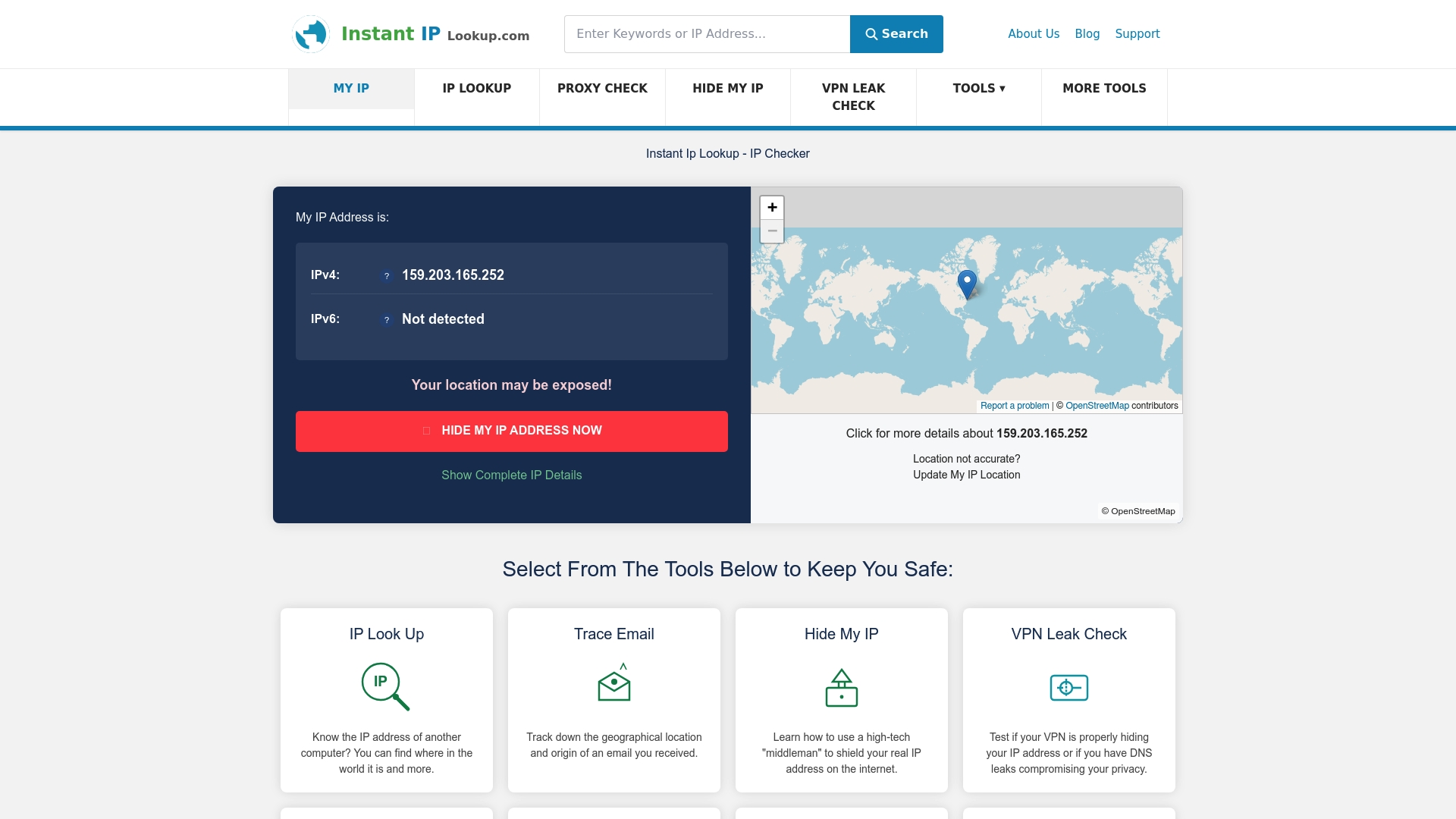
The service goes beyond basic lookups by providing IP to location mapping that helps you visualise where addresses originate worldwide. Whether you're investigating security incidents, troubleshooting network issues, or verifying VPN functionality, these tools implement the step-by-step methodology outlined in this guide. Detailed result explanations ensure you understand exactly what each data point means for your specific situation, removing guesswork from the interpretation process.
Frequently asked questions
What is an IP lookup and why is it useful?
An IP lookup identifies details like geographic location, internet service provider, hostname, and network information associated with a specific IP address. This proves useful for troubleshooting network connectivity issues, investigating suspicious activity, verifying VPN functionality, and understanding where website traffic originates. Both cybersecurity professionals and everyday users rely on IP lookups to make informed decisions about online security and privacy.
Can IP lookup reveal the exact location of someone?
IP geolocation typically shows approximate location based on ISP registration data rather than pinpoint coordinates. Accuracy varies from city-level to regional estimates depending on how internet providers manage their address blocks. VPNs, proxies, and mobile networks further reduce precision by routing traffic through centralised servers. Never assume IP location data provides street-level accuracy for identifying specific individuals.
Is performing an IP lookup legal and ethical?
Performing IP lookups on public addresses is generally legal and widely accepted for legitimate purposes like security research, network administration, and privacy verification. Public IP addresses are visible to any website or service you connect to, making lookup information already accessible. However, using this data to harass, stalk, or invade someone's privacy crosses ethical and potentially legal boundaries. Always respect privacy laws and use IP information responsibly.
How do VPNs and proxies affect IP lookup results?
VPNs and proxy servers intentionally mask your real IP address by routing traffic through their own servers. When you perform a lookup on a VPN-protected connection, results show the VPN provider's server location instead of your actual position. This is the intended functionality of privacy tools. Detecting VPN or proxy use requires specialised tools that identify characteristics of these services beyond simple geolocation data.
What is the difference between IPv4 and IPv6 lookups?
IPv4 addresses use the familiar four-number format whilst IPv6 employs longer hexadecimal strings to accommodate more devices. Both lookup processes work similarly, revealing location and ISP details, though IPv6 adoption remains incomplete. Some lookup tools handle both formats seamlessly, whilst others specialise in one type. IPv6 lookups may provide less detailed geolocation data simply because fewer databases track these newer addresses comprehensively.
How often should I perform IP lookups for security monitoring?
Security monitoring frequency depends on your risk profile and resources. High-value targets benefit from automated systems that check every connection attempt in real-time. Small businesses might review suspicious IPs weekly or when alerts trigger. Individual users typically perform lookups only when investigating specific concerns like unauthorised login attempts. Establish a monitoring schedule based on your threat landscape rather than arbitrary timeframes.
Recommended
- IP Address Lookup & Geolocation Tool – Trace IP in USA & Worldwide
- Reverse DNS Lookup Online Tool – Find Hostname from IP Address
- The Ultimate Guide To Using IP Lookup For Cybersecurity And Privacy - Instant Ip Lookup
- Free Reverse DNS Lookup - Identify IP Address Hostnames Fast
- Felsöka Mac-nätverk Steg För Steg: Lös Dina Problem Snabbt