
You spot an unfamiliar IP address in your server logs, or you want to confirm whether your VPN is actually masking your real internet service provider. Either way, knowing how to trace an IP address back to its ISP is a genuinely useful skill. It helps remote workers verify their privacy, lets security-conscious users audit their network exposure, and gives VPN users confidence that their provider is doing its job. This guide walks you through the exact tools, methods, and real-world limitations you need to know, so you can identify any ISP from an IP address with confidence.
Table of Contents
- What you need before starting
- Step-by-step: Identifying an ISP from an IP address
- Understanding limitations and edge cases
- How to verify ISP identification and check your own exposure
- Take your IP investigations further with expert tools
- Frequently asked questions
Key Takeaways
| Point | Details |
|---|---|
| ISP discovery methods | Combine WHOIS, RDAP, and IP geolocation for best ISP-level results. |
| Limitations explained | You cannot identify individuals, and VPN/CGNAT can mask the true source. |
| Accuracy varies | ISP identification is highly accurate at country level but less so in cities or with mobile/VPN use. |
| Verification strategies | Cross-check with multiple services to confirm ISP information and assess your privacy risk. |
What you need before starting
Before running any lookup, it helps to understand a few core terms. An IP address (Internet Protocol address) is the unique numerical label assigned to every device on a network. An ISP (Internet Service Provider) is the company that owns and manages the block of IP addresses your connection uses. WHOIS is a long-standing query protocol that returns registration data for IP blocks. RDAP (Registration Data Access Protocol) is its modern, structured replacement. IP geolocation refers to databases that map IP ranges to physical locations and network owners.
The primary methods to identify ISP from IP are WHOIS and RDAP queries on Regional Internet Registries (RIRs) such as ARIN and RIPE, which return the organisation owning the IP block, and IP geolocation APIs like IPinfo and MaxMind, which map IP ranges to ISP names with accuracy above 95% at the network level.
Here is a quick comparison of the main tools:
| Tool | Method | Accuracy | Best for | Privacy |
|---|---|---|---|---|
| WHOIS | Registry query | Very high (ownership) | Legal/forensic use | Plaintext, logged |
| RDAP | HTTPS/JSON query | Very high (ownership) | Structured data needs | Encrypted |
| Geolocation API | Database mapping | 95%+ network level | Bulk/fast lookups | Varies by provider |
| Public lookup sites | Web interface | Moderate to high | Quick manual checks | Depends on site |
Useful free and paid options include:
- Public WHOIS portals (ARIN, RIPE, APNIC)
- RDAP endpoints via RIR websites
- Geolocation APIs such as IPinfo, MaxMind, and ip-api
- Web-based tools like InstantIPLookup's ISP lookup for instant results
- Paid API tiers for bulk or commercial use
For a guided walkthrough of the full process, the step-by-step lookup guide at InstantIPLookup covers each stage clearly.
Pro Tip: Before you start, note the context around the IP. Is it from a suspicious login attempt? A VPN endpoint? Knowing the suspected context helps you choose the right tool and interpret results faster.
Step-by-step: Identifying an ISP from an IP address
With your tools and terminology sorted, here is how to actually run the identification.
Step 1: Run a WHOIS lookup Go to a WHOIS portal such as ARIN (for North American IPs) or RIPE (for European IPs). Enter the IP address. The result will show the registered organisation, which is almost always the ISP or a large network operator. WHOIS uses TCP port 43 for plaintext queries, making it fast but unencrypted.
Step 2: Use RDAP for structured results RDAP is the modern replacement for WHOIS. It uses HTTPS and JSON responses, giving you cleaner, machine-readable data with better privacy handling. Visit the RIPE RDAP endpoint or use a tool that queries it automatically. This is the preferred method for developers and anyone needing structured output.

Step 3: Cross-check with a geolocation API Geolocation APIs are faster for bulk checks and return the ISP name alongside location data. They are excellent for quick identification but are estimates rather than authoritative records. WHOIS and RDAP remain most authoritative for ISP ownership at the block level, while geolocation APIs suit speed and volume.
Step 4: Check the ASN (Autonomous System Number) The ASN identifies the network operator at a routing level. It often confirms the ISP even when WHOIS data is sparse. Most lookup tools return this alongside the ISP name.
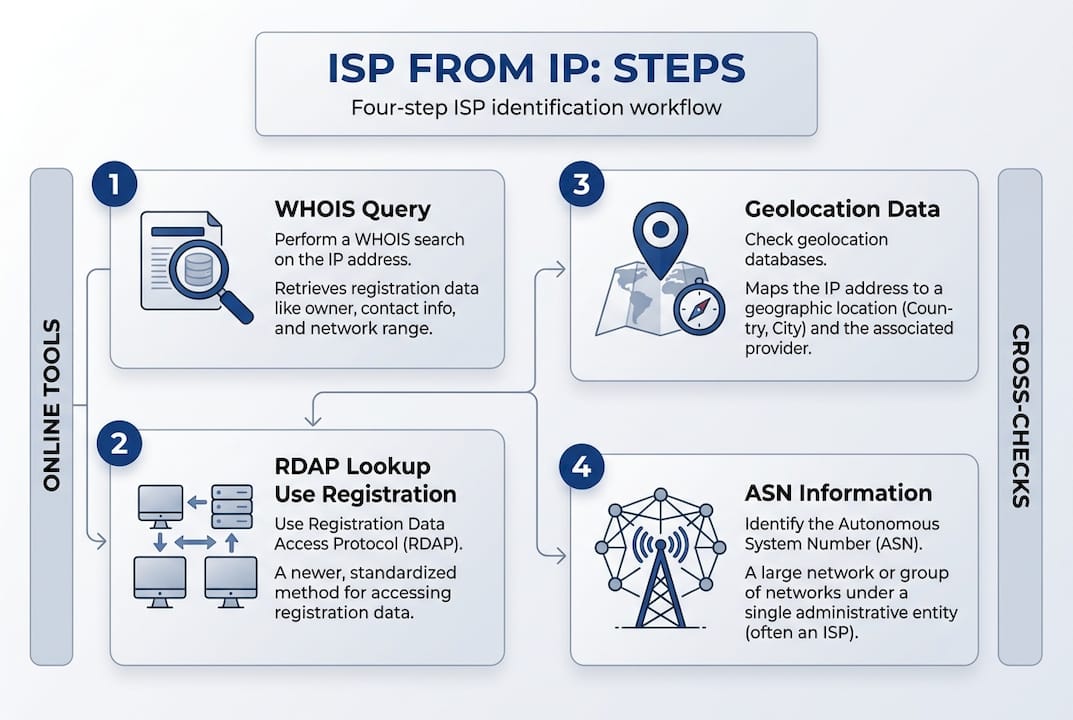
Here is a comparison of each method:
| Method | Required info | Accuracy | Privacy caveat |
|---|---|---|---|
| WHOIS | IP address | Very high (ownership) | Query may be logged |
| RDAP | IP address | Very high (ownership) | Encrypted, more private |
| Geolocation API | IP address | 95%+ network level | Varies by provider |
| ASN lookup | IP address | High (operator level) | Generally low risk |
For IP geolocation accuracy details and what the figures actually mean in practice, it is worth understanding how these databases are built and updated. The IP geolocation explained resource covers this clearly.
Pro Tip: For anonymous or bulk checks, geolocation APIs are the fastest route. But if you need results for legal, forensic, or compliance purposes, always confirm with WHOIS or RDAP, as these are the authoritative sources.
Understanding limitations and edge cases
Even with the right tools and method, several real-world factors can affect your results.
Situations where ISP identification becomes less precise include:
- CGNAT (Carrier-Grade NAT): CGNAT shares one public IP among many users, so the IP points to the ISP's NAT pool rather than any individual connection.
- VPNs and proxies: The lookup returns the VPN provider's ISP, not the user's real one. This is actually useful for privacy but complicates origin detection.
- Mobile networks: Large mobile carriers route millions of users through shared IP ranges, making city-level identification unreliable.
- Cloud and hosting IPs: IPs registered to AWS, Google Cloud, or similar providers show the cloud company, not the end user's ISP.
- Dynamic IPs: Residential IPs change frequently, so historical lookups may not reflect current assignments.
On accuracy, the numbers are telling. Country-level ISP accuracy exceeds 99%, but city-level accuracy varies between 50% and 80%. MaxMind, one of the leading providers, claims roughly 66% accuracy within 50 kilometres in the United States. For accuracy today and how these figures hold up across different regions, the picture varies considerably.
IP-based lookups never reveal end-user identity. They show only the ISP or organisation owning the IP range. VPN and CGNAT users see a masked ISP, which aids privacy but makes true origin detection significantly harder.
Two common mistakes to avoid: expecting a lookup to reveal a specific person (it cannot), and trusting city-level results as precise. For a deeper look at what geolocation accuracy means for network security decisions, the variance by region and provider matters more than most people realise.
How to verify ISP identification and check your own exposure
Once you have a result, verifying it properly takes only a few extra steps. Here is how to do it:
- Run the same IP through at least two different tools. Compare the ISP name, ASN, and organisation field across WHOIS, RDAP, and a geolocation API. Consistent results give you high confidence.
- Check the ASN and rDNS (reverse DNS). The ASN confirms the network operator. Reverse DNS often includes the ISP's domain name, which is a strong secondary confirmation.
- Look at the provider field specifically. Do not focus on city or postcode data. The ISP or organisation field is the most reliable output from any lookup.
- Use a leak test if you are a VPN user. Connect to your VPN, then check your public IP. The ISP shown should be your VPN provider, not your home broadband supplier. If it shows your real ISP, your VPN has a leak.
- Cross-reference with ASN lookup tools to confirm the operator behind the IP block, especially for IPs that return sparse WHOIS data.
For VPN and remote workers, privacy checks via IPinfo can confirm whether your real ISP is exposed. Combining WHOIS for ownership, ASN for the operator, and geolocation for context gives you the most complete picture.
Here is a summary of the verification steps:
| Step | Recommended tool | Expected result |
|---|---|---|
| Multi-tool ISP check | WHOIS + geolocation API | Consistent ISP/org name |
| ASN confirmation | RDAP or ASN lookup | Matching network operator |
| rDNS check | Command line or web tool | ISP domain in hostname |
| VPN leak test | VPN leak check | VPN provider shown, not real ISP |
| Result interpretation | Lookup results explained | Clear field-by-field breakdown |
Pro Tip: For VPN users, always check your public IP both before and after connecting. A quick lookup takes seconds and immediately confirms whether your real ISP is masked or still visible to the outside world.
Take your IP investigations further with expert tools
Knowing the method is one thing. Having reliable tools that do the heavy lifting is another. InstantIPLookup brings together everything covered in this guide into a single, clean interface.
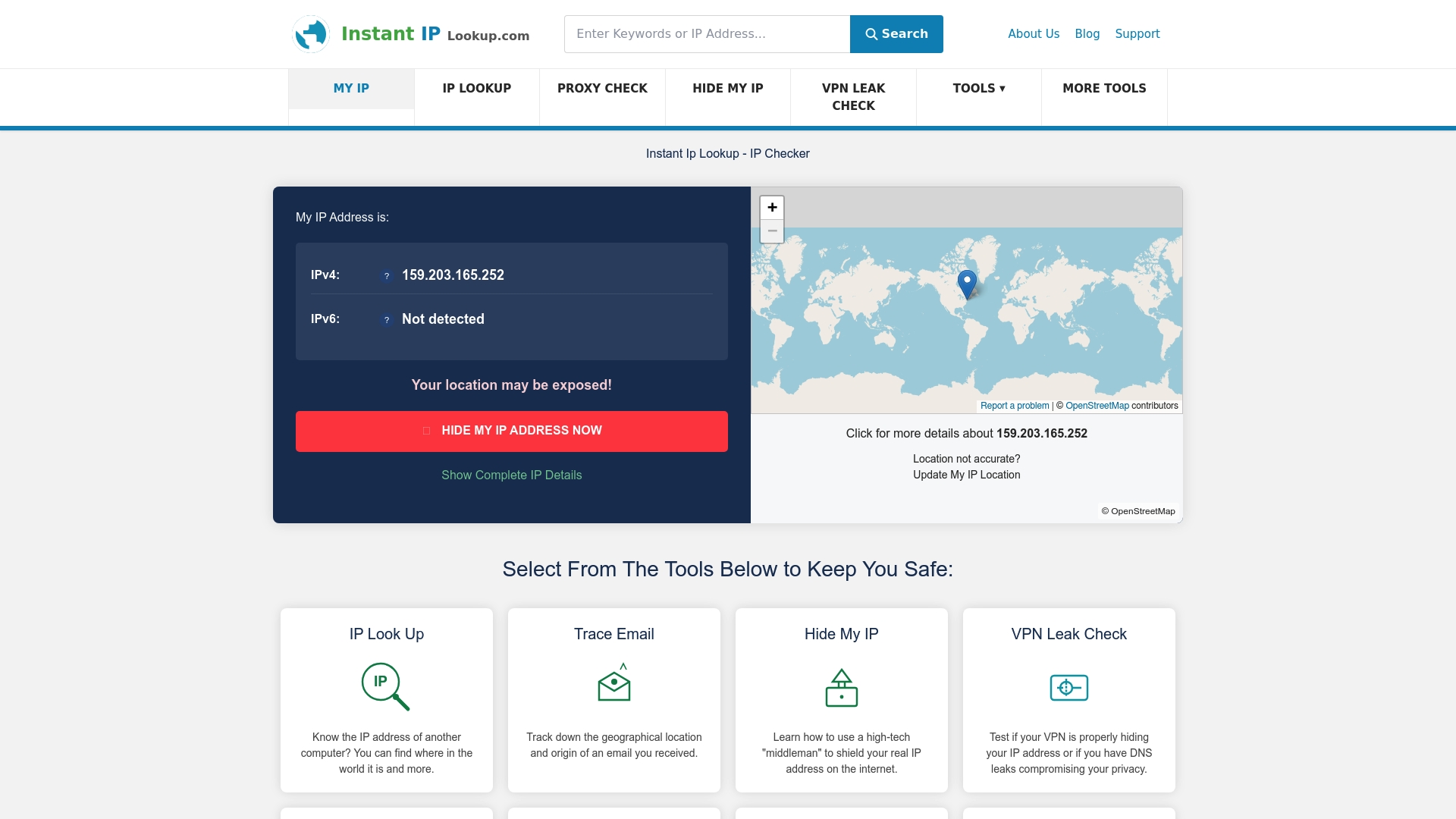
The advanced lookup tool returns ISP, ASN, geolocation, and proxy detection in one query, saving you from running multiple separate checks. If you are a VPN user wanting to confirm your privacy, the VPN leak tester shows exactly what your connection exposes. And if you want to understand what the results actually mean, the geolocation explained guide breaks down every field in plain language. Whether you are auditing a suspicious IP or verifying your own exposure, these tools make the process faster and more thorough.
Frequently asked questions
Can someone find my personal details from my IP address?
No. IP-based lookups reveal only the ISP or organisation owning the address range, never the end-user identity. Your name, address, and personal details are not accessible through standard IP lookups.
What's the difference between a WHOIS and a geolocation lookup?
WHOIS returns the registered owner of an IP block, making it the authoritative source for ISP ownership. Geolocation lookups use RIR data and estimates to return location and ISP information quickly, but they are approximations rather than official records.
How accurate is ISP identification from an IP address?
Country-level accuracy exceeds 99%, but city-level results vary between 50% and 80%. VPNs and proxies reduce accuracy further by masking the true originating ISP.
How do VPNs and CGNAT affect ISP identification?
A VPN masks your real ISP and shows the VPN provider's network instead. CGNAT hides individual users behind a shared IP, so lookups return only the ISP's pool address rather than anything user-specific.
Is it possible to identify a user behind an IP address?
No. Standard lookups show ISP-level or network ownership only. End-user identity is never revealed through public IP lookup tools, regardless of the method used.