
TL;DR:
- Your IP address reveals location, ISP, browsing habits, and can be exploited by data brokers.
- To protect your privacy, use trusted VPNs, Tor, or proxies and regularly test for leaks.
- Privacy requires layering tools, browser configurations, and consistent practice for effective protection.
Your IP address is more revealing than most people realise. It can expose your approximate location, your internet service provider (ISP), and when combined with other data points, help advertisers, data brokers, and cybercriminals build surprisingly detailed profiles about you. The 2026 Annual Identity Exposure Report confirms that IP-linked data is routinely harvested and traded. This article walks you through the real risks, the best tools for masking your IP, how to test for hidden leaks, and the browser and network settings that give you genuine control over your privacy.
Table of Contents
- Understand your IP address risks
- VPNs, Tor, proxies and which you should use
- Test for IP, DNS and WebRTC leaks
- Advanced IP privacy settings for browsers and network
- Our perspective: Why true privacy means layering
- Try our tools for better IP privacy
- Frequently asked questions
Key Takeaways
| Point | Details |
|---|---|
| Know IP risks | Your IP address exposes your location and ISP, enabling data brokers and attackers to track you. |
| Choose the right tool | Use a reputable VPN or Tor for strong privacy, but avoid proxies and free services that can leak data. |
| Test for leaks | Regularly check for IP, DNS, and WebRTC leaks as over 29% of VPN connections have vulnerabilities. |
| Layer privacy settings | Combine masking tools with browser tweaks and network configuration for real protection. |
| Stay proactive | Update your privacy tools and habits to adapt to new threats and exposure risks. |
Understand your IP address risks
Every device connected to the internet carries a public IP address, and that address is visible to every website, app, and service you interact with. Most people assume it reveals very little. In reality, it reveals quite a lot.
Your IP address can expose:
- Your approximate physical location, often accurate to city level
- Your ISP and the type of connection you use
- Your browsing patterns when tracked across multiple sites
- Your device's network environment, including whether you use a VPN or proxy
Data brokers go further. They combine your IP-linked data with purchase history, social media behaviour, and device fingerprints to build profiles that are sold to advertisers and, in some cases, accessed by malicious actors. This is not a theoretical risk. It is standard commercial practice.
"Your IP address is a persistent identifier. Unlike a cookie, you cannot simply clear it. Every connection you make leaves a trace that can be aggregated over time."
Remote workers face a compounded threat. When you connect to public Wi-Fi in a café or airport, your IP address is shared across an open network. Anyone on that network with basic tools can observe your traffic, identify your device, and potentially intercept unencrypted data. Understanding VPN vs ISP tracking helps clarify just how much your ISP can see even on your home connection, which is more than most users expect.
The practical takeaway here is simple: your IP address is not just a technical label. It is a data point that, in the wrong hands, can be used to track, target, or compromise you. Treating it with the same care you give your passwords is not paranoia. It is sensible digital hygiene.
With the basics of IP address exposure established, let's examine how to mask your IP for better security.
VPNs, Tor, proxies and which you should use
Three main tools exist for masking your IP address: virtual private networks (VPNs), the Tor network, and proxies. Each works differently, and choosing the wrong one for your situation can leave you exposed.
| Tool | Encryption | Speed | Best use case | Privacy level |
|---|---|---|---|---|
| VPN | Strong | Fast | Everyday browsing, remote work | High |
| Tor | Strong | Slow | High-risk anonymity needs | Very high |
| Proxy | None or weak | Fast | Geo-unblocking only | Low |
A VPN routes your traffic through an encrypted tunnel and replaces your real IP with the server's IP. As Privacy Guides notes, a trustworthy VPN encrypts your traffic and substitutes your IP, making it the most practical daily privacy tool for most users. The key word is trustworthy. Free VPNs frequently log your data, inject adverts, or sell your browsing history to third parties, which defeats the entire purpose.

Tor works differently. It routes your traffic through multiple relay nodes, stripping identifying information at each step. This provides stronger anonymity than a VPN, but the trade-off is significant speed reduction. Tor is well suited to journalists, activists, or anyone operating in high-risk environments. For everyday streaming or remote work, it is impractical.
Proxies are the weakest option. They can mask your IP for simple tasks like accessing geo-restricted content, but proxies typically lack encryption, meaning your ISP and anyone monitoring the network can still see your traffic. Using a proxy and believing you are private is a false sense of security.
For a broader comparison of all three, the VPN vs proxy vs Tor breakdown from CNET is worth reading.
Key mistakes to avoid:
- Using free VPNs without reading their privacy policy and audit history
- Relying on browser-based proxies for anything sensitive
- Assuming Tor alone protects you if you log into personal accounts while using it
Pro Tip: Always choose a VPN that has passed an independent third-party audit and maintains a strict no-logs policy. Paid services with published audits, such as Mullvad or ProtonVPN, are far more reliable than free alternatives.
Once you've chosen a tool for masking your IP, it's crucial to check for leaks that may undermine your privacy.
Test for IP, DNS and WebRTC leaks
Using a VPN does not automatically mean your real IP is hidden. Leaks are far more common than most users realise, and the data is striking.
| Leak type | Prevalence among tested VPNs |
|---|---|
| WebRTC leaks | 23.6% |
| IP leaks | 17.3% |
| DNS leaks | 7.1% |
| Any leak | 29.1% |
According to the VPN Index, nearly one in three tested VPN connections leaks some form of identifying data, with Chrome and Android being the most affected environments. That means your privacy setup may be failing you right now without any visible sign.
Here is what each leak type means in practice:
IP leak: Your real IP address is exposed despite the VPN being active. Websites and trackers can see your actual location.
DNS leak: Your DNS queries, which reveal every domain you visit, are sent outside the VPN tunnel to your ISP's servers instead of the VPN's encrypted resolver.
WebRTC leak: Browsers use WebRTC for real-time communication features. This protocol can bypass your VPN and expose your local and public IP to any site using it.
How to test your own setup:
- Connect to your VPN and confirm it shows as active.
- Visit our VPN leak check tool to see your visible IP and whether it matches your VPN server.
- Run a DNS leak test to confirm your queries are not routing through your ISP.
- Check our full leak test guide for step-by-step instructions covering WebRTC and IPv6 scenarios.
- If a leak is found, switch VPN servers, update your client, or disable WebRTC in your browser settings.
Leaks are not always caused by poor VPN quality. Network changes, browser updates, and device restarts can all trigger them. Testing regularly is the only reliable way to stay confident in your setup.
Beyond leak testing, there are advanced browser and network settings that further reduce IP exposure.
Advanced IP privacy settings for browsers and network
Even with a solid VPN and regular leak testing, your browser can still betray you. Configuring it correctly closes the remaining gaps.
Recommended browser settings for IP privacy:
- Disable WebRTC: In Firefox, set "media.peerconnection.enabled
to false inabout:config`. In Chrome, use a browser extension such as WebRTC Leak Prevent. - Enable DNS over HTTPS (DoH) or DNS over QUIC (DoQ): These protocols encrypt your DNS queries so your ISP cannot see which domains you visit. Both Firefox and Chrome support DoH natively in their settings.
- Block IPv6 if your VPN does not support it: IPv6 leaks affect roughly 40% of VPNs that do not explicitly block the protocol. Disable IPv6 at the operating system or router level to prevent your real address from leaking alongside your masked IPv4.
- Use a privacy-focused browser: Browsers such as Firefox with uBlock Origin, or Brave, reduce fingerprinting and block trackers that correlate your IP with other identifiers. Privacy International's guide on minimising your online trail recommends combining browser hardening with consistent IP masking for genuine pseudonymity.
For remote workers specifically, the threat surface is wider. Public networks in hotels, airports, and co-working spaces are common attack vectors.
Remote worker strategies:
- Enable your VPN's kill switch so your connection drops entirely if the VPN disconnects, preventing accidental IP exposure.
- Avoid connecting to unknown networks without a VPN active.
- Use airplane mode when you are not actively using the internet to prevent background app connections from leaking your IP.
Pro Tip: True pseudonymity requires consistency. Stripping metadata from files you share, using unique accounts per service, and masking your IP every single session matters far more than any single tool. One unmasked session can undo months of careful practice.
For a broader set of daily privacy habits, the EFF's privacy and security tips are practical and well-organised. You can also explore our IP leak protection guide and WebRTC leak test for hands-on checks.
Now that you've seen practical settings and real-world strategies, let's consider how to make final choices based on your specific situation.
Our perspective: Why true privacy means layering
Here is something the privacy industry rarely says plainly: no single tool makes you private. Not a VPN. Not Tor. Not a hardened browser. Each tool closes one door while leaving others open. The EFF makes this clear, noting that no tool provides perfect anonymity and that combining IP masking with fingerprint resistance, unique accounts, and metadata stripping is what actually reduces exposure.
We see users make the same mistake repeatedly: they install a VPN, feel protected, and stop there. But a VPN that leaks DNS queries, paired with a browser that broadcasts WebRTC data, paired with consistent login behaviour across accounts, is barely better than no protection at all.
The uncomfortable truth is that privacy is a practice, not a product. It requires layering tools, testing them regularly, and understanding what each one does and does not cover. Our VPN leak check explained page is a good starting point for understanding where your current setup may have gaps. Build from there, one layer at a time.
Try our tools for better IP privacy
The tips in this article are only useful if you act on them. Start by seeing exactly what your current connection reveals.
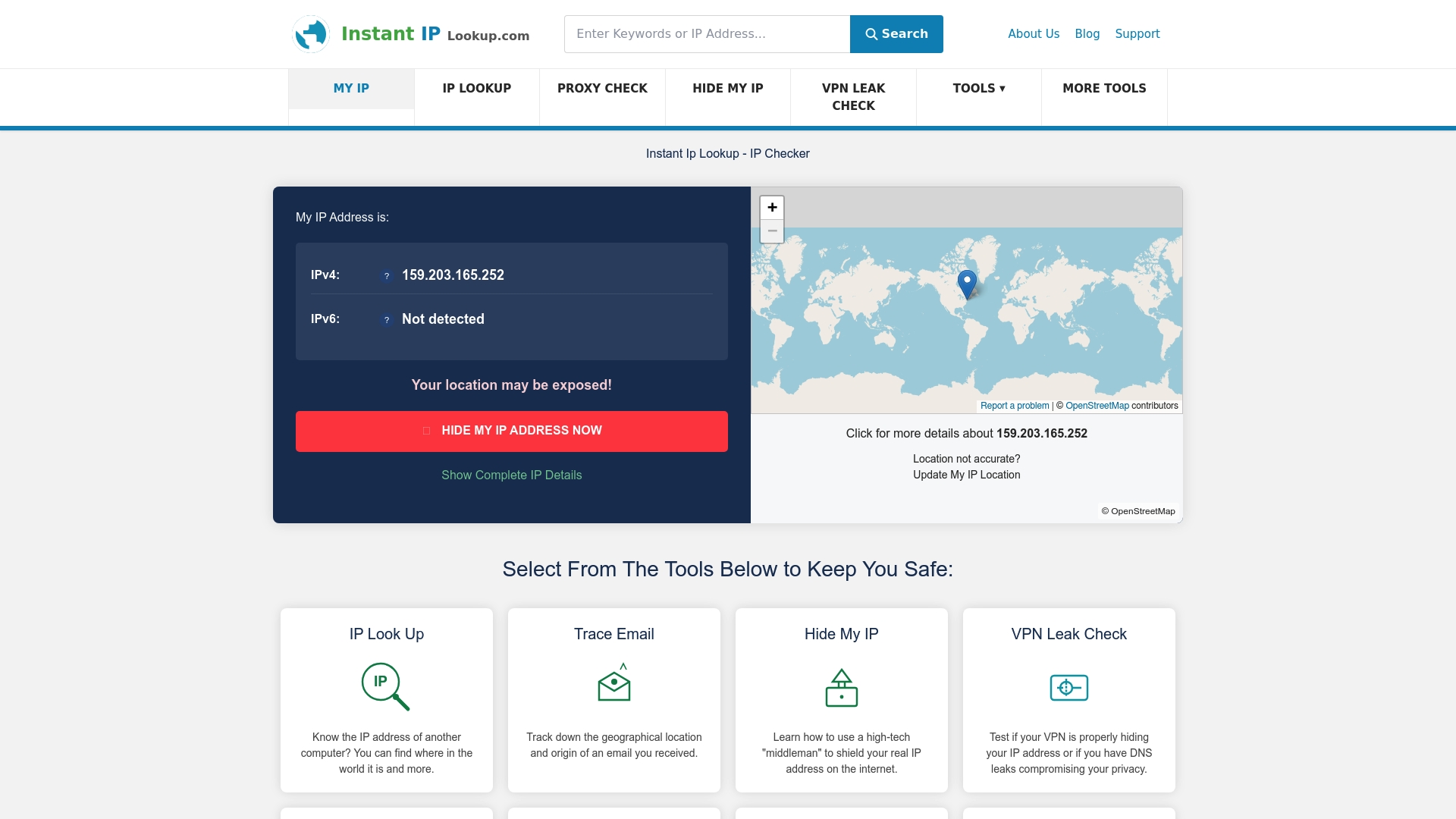
Our IP lookup tool shows your public IP address, ISP, and geolocation in seconds, giving you a clear picture of what sites see when you connect. From there, run a VPN leak check to confirm your masking tool is actually working. If you want to go deeper, our IP leak protection guide covers every major leak type with step-by-step fixes. All tools are free, require no account, and are built for privacy-conscious users who want answers without handing over more data to get them.
Frequently asked questions
Can someone track me with just my IP address?
Yes, your IP address can reveal your approximate location and ISP, and when combined with other data, it helps build detailed tracking profiles used by data brokers and advertisers.
Is a VPN enough to keep my IP truly private?
A VPN masks your IP but is not foolproof. Since 29.1% of VPN connections leak some data, you should combine your VPN with browser hardening and regular leak tests for robust protection.
How often should I check for leaks in my privacy tools?
Test for IP, DNS, and WebRTC leaks whenever you update your VPN client, change networks, or install browser updates, as any of these changes can introduce new VPN data leaks.
Do proxies protect my IP address like VPNs and Tor?
No. Proxies hide your IP for basic tasks but lack encryption, meaning your ISP and network observers can still see your traffic and they offer no real privacy protection.